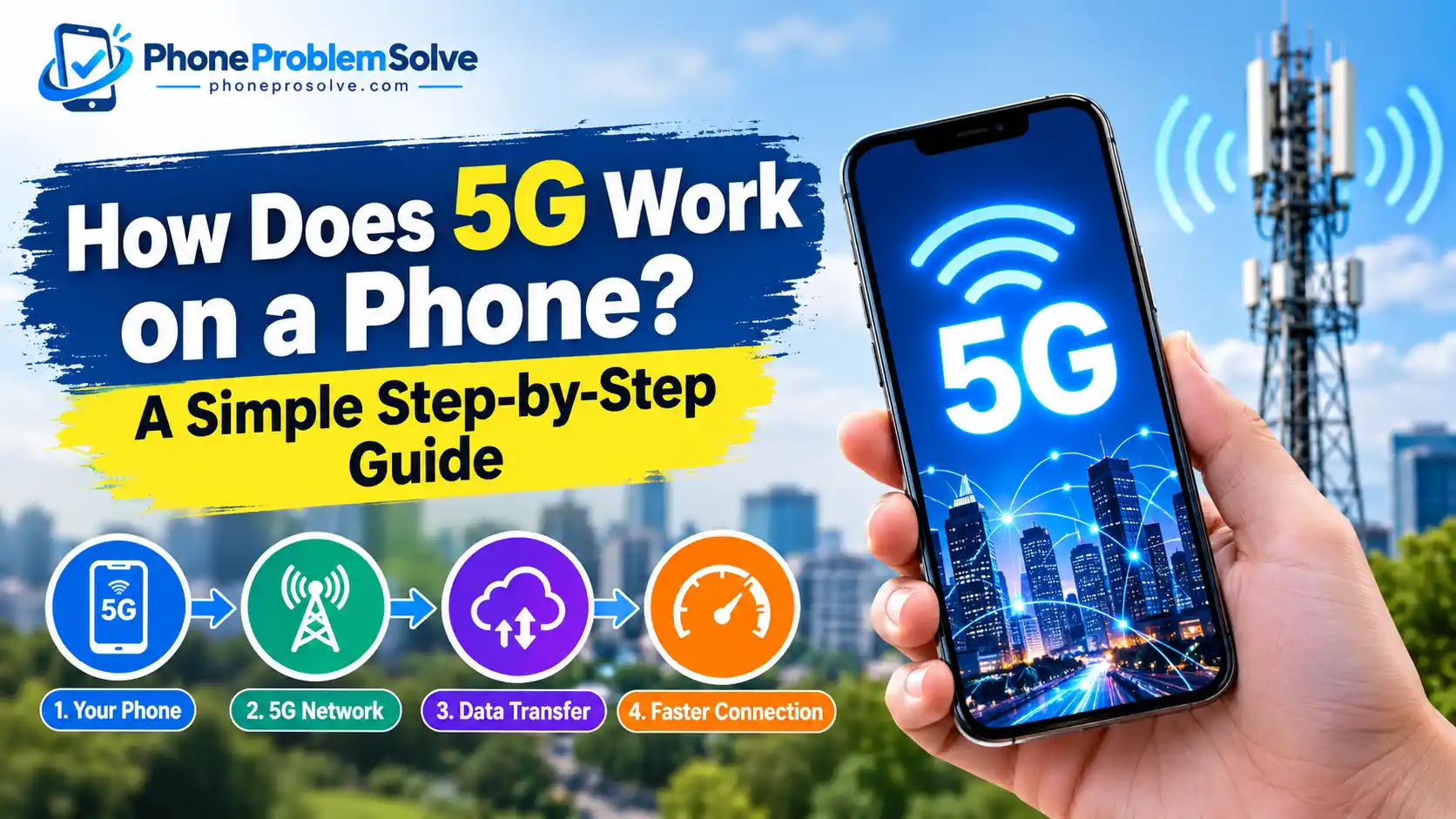
Have you ever noticed the 5G symbol at the top of your phone and wondered what actually happens when you use mobile data? The process is more interesting than it might seem. Your phone communicates with nearby cellular equipment using radio signals, and the mobile network carries your data to and from internet servers.
So, how does 5G work on a phone? It uses 5G New Radio (NR) technology, compatible antennas and a mobile network designed to handle data efficiently. When you open a website, stream a video, or make a video call, your phone sends and receives data through this network. The speed and reliability you experience depend on your phone, carrier, signal strength, network conditions, and the type of 5G available in your area.
Understanding this process can also help you identify why your 5G connection sometimes feels incredibly fast but occasionally becomes slow or switches back to 4G LTE.
How Does 5G Work on a Phone?
A 5G phone works by converting digital information into radio signals and exchanging those signals with a nearby 5G cell site. That cell site connects to the carrier’s wider network, which provides a route to the internet.
For example, when you open a website on your phone, the browser requests information from the website’s server. Your phone sends that request through the cellular network. The server responds, and the network delivers the requested information back to your phone.
The whole process usually happens quickly enough that you can browse, stream and communicate without noticing the individual steps.
How 5G Works Step by Step
Here is a simplified look at what happens when you use the internet on a 5G phone:
- Your phone prepares the data. When you tap a link or open an app, your phone creates a request for the information it needs.
- The phone sends a radio signal. Its modem and antennas communicate with a compatible 5G cell site using radio-frequency signals.
- The cell site forwards the data. The 5G radio access network passes your traffic into the carrier’s network.
- The carrier connects you to the destination. The network routes your request towards the appropriate internet server.
- The server sends a response. The requested webpage, image, video or other information travels back through the network.
- Your phone displays the result. Your device receives the data and turns it into the content you see on the screen.
This process continues as you scroll through a webpage, watch a video, or exchange messages.
For a broader explanation of the technology behind these networks, see the International Telecommunication Union’s overview of 5G networks.
What Do the Phone Modem and Antennas Do?
Two important components help your phone communicate with a 5G network: its cellular modem and antennas.
The modem manages the cellular connection and processes the information needed to send and receive data. It also works with the phone’s supported network technologies and frequency bands.
The antennas transmit and receive the radio signals. Their design helps the phone maintain a connection as you move between locations or as signal conditions change.
A phone advertised as 5G-compatible needs hardware capable of supporting the relevant 5G technology. However, the phone must also support the frequency bands and network configuration used by your carrier.
If you are unsure whether your current device meets these requirements, read our guide on how to check if your phone supports 5G.
How Does a 5G Cell Tower Connect Your Phone to the Internet?
A 5G cell site provides the radio connection between your phone and the mobile network. It does not normally work as an isolated tower sending your traffic directly to every website.
Behind the radio connection is a wider network infrastructure that transports and manages data.
Two important parts are the radio access network (RAN) and the core network.
- Radio access network (RAN): Connects your phone to the carrier’s cellular infrastructure through radio signals.
- Core network: Helps manage connectivity, user authentication, data sessions, and the routing of traffic to other networks.
The exact arrangement depends on how the carrier has deployed its 5G network. Some networks use parts of their existing 4G infrastructure, while others use a 5G standalone architecture.
These components work together to deliver information from the internet to your phone and return your requests to the appropriate destination.
What Technology Makes 5G Work?
5G is not simply 4G with a different symbol. It uses a collection of radio technologies and network improvements designed to increase capacity, support different frequency bands, and improve performance under suitable conditions.
Understanding a few of these technologies makes it easier to see why two 5G phones can deliver different experiences.
What Is 5G New Radio (NR)?
5G New Radio, commonly called 5G NR, is the radio-access technology used by 5G cellular networks.
It defines how compatible devices and network equipment communicate over the air. It also supports different frequency ranges and technical features that help networks manage mobile traffic.
When you browse the web over a 5G connection, your phone and the network use the relevant radio procedures to establish and maintain communication.
The standard supports a range of network deployments rather than requiring every carrier to use precisely the same frequencies or infrastructure.
You can learn more about 5G capabilities and radio technology in Qualcomm’s guide to 5G.
Low-Band, Mid-Band, and mmWave 5G Explained
Not every 5G connection operates on the same frequencies. Carriers use different spectrum bands, and those differences affect coverage, speed and the ability of signals to travel through obstacles.
| Type of 5G | Main advantage | Common limitation |
|---|---|---|
| Low-band 5G | Broad coverage and generally better reach indoors | Speeds may be closer to those of a good 4G connection |
| Mid-band 5G | A useful balance between speed, capacity and coverage | Coverage and performance still depend on deployment |
| High-band mmWave 5G | Very high capacity and potentially extremely fast data rates | Shorter range and greater difficulty penetrating many obstacles |
Low-band 5G can be useful across large areas because lower-frequency signals generally travel farther. Mid-band spectrum often provides a practical balance between coverage and performance.
Millimeter-wave (mmWave) technology can deliver very high speeds in suitable conditions, particularly in locations with the required infrastructure. However, its limited reach means that availability may be concentrated in particular urban areas or high-traffic venues.
These are general characteristics, not guarantees. Your carrier’s deployment and your phone’s supported bands determine which type of 5G you can use.
How Do Massive MIMO and Beamforming Help?
Massive MIMO and beamforming are two technologies that can help a 5G network use its radio resources more efficiently.
Massive MIMO uses multiple antenna elements to support communication with multiple devices and manage radio capacity. Depending on the deployment, it can help a cell site serve many users more effectively.
Beamforming helps direct radio energy towards particular devices rather than distributing it equally in every direction. This can improve signal quality and make better use of available radio resources.
Think of it as a more targeted approach to wireless communication. Instead of treating every connection in exactly the same way, the network can use its antenna systems to serve devices according to their location and radio conditions.
The actual benefits depend on the network equipment, supported frequency bands, and conditions around the phone.
What Is the Difference Between 5G Standalone and Non-Standalone?
You may see the terms 5G Standalone (SA) and Non-Standalone (NSA) when reading about mobile networks.
5G Non-Standalone (NSA) uses 5G radio technology alongside parts of an existing 4G network architecture. It allows carriers to introduce 5G without necessarily replacing all their core-network infrastructure at once.
5G Standalone (SA) uses a 5G radio access network with a 5G core network. It does not require an underlying 4G network to provide that core connection.
Both are forms of 5G deployment. The name alone does not tell you exactly how fast your connection will be, because performance also depends on spectrum, coverage, congestion, and the carrier’s implementation.
What Do You Need to Use 5G on a Phone?
Having a phone with a 5G logo does not automatically mean you can connect to every 5G network. A few requirements must line up before the service works as expected.
A Compatible 5G Smartphone
Your phone must contain the necessary 5G hardware and support the network bands used by your carrier.
Some phones are sold in different regional versions. A model purchased in one country may not support every frequency band used by a carrier in another country.
That is particularly important if you are buying an imported or refurbished handset.
Check the exact model number and compare its specifications with your carrier’s compatibility requirements. Our guide to checking 5G support on iPhone and Android explains how to begin.
A Carrier and Mobile Plan That Support 5G
Your mobile carrier must offer 5G in your area and allow your account to access it.
Depending on the provider, you may need an eligible mobile plan, an activated SIM or eSIM, and the appropriate network configuration.
In the USA, UK, Canada and Australia, network coverage and supported frequency bands vary between carriers and locations. Never assume that an advertised 5G service is available everywhere within a carrier’s coverage area.
Before upgrading your plan, check the provider’s coverage information for the places where you regularly use your phone.
Do You Need a Special SIM Card for 5G?
Not everyone needs a new physical SIM card to use 5G. Some existing SIM cards can be used, while other situations require a replacement SIM, an eSIM setup, or carrier-side activation.
The answer depends on your phone, SIM, network and provider.
For example, Apple’s official guide to using 5G on iPhone explains that users need a supported iPhone, a provider offering 5G and a compatible mobile plan. It also notes that an existing SIM may need to be configured by the provider in some cases.
If your phone supports 5G but the option does not appear, ask your carrier to confirm that your device and account are correctly configured.
How Is 5G Different From 4G LTE?
Both 4G LTE and 5G allow smartphones to access mobile internet without a Wi-Fi connection. The main differences concern network capacity, potential speed, latency and the technologies used to manage connections.
| Feature | 4G LTE | 5G |
|---|---|---|
| Download speed | Suitable for everyday browsing, streaming and downloads | Can provide higher speeds in suitable conditions |
| Latency | Generally higher than the potential of 5G | Can offer lower latency |
| Network capacity | Can become congested in busy locations | Designed to improve capacity and handle more demanding traffic |
| Coverage | May be available where 5G is not | Depends on carrier deployment and location |
| Hardware | Requires a compatible 4G device | Requires compatible 5G hardware and network support |
These are general differences, not guarantees for every connection. Actual performance varies by network and location.
Is 5G Always Faster Than 4G?
No. A strong 4G LTE connection can sometimes outperform a weak or congested 5G connection.
For example, your phone may connect to low-band 5G with limited available capacity, while a nearby 4G site has a stronger signal and less congestion. In that situation, 4G could deliver a better experience.
The same applies to downloads, video calls and online gaming. The network label does not tell the entire story.
If you are deciding whether to upgrade your device, our guide on whether 5G is worth it on a phone covers the practical advantages and disadvantages to consider.
What Affects 5G Speed and Signal Strength?
Several factors determine how well 5G performs on your phone. Understanding them can help you distinguish a network limitation from a problem with your device.
Distance from the cell site: Radio signals usually become weaker as the distance increases, although local terrain and network design also matter.
Buildings and obstacles: Walls, building materials and other physical obstacles can weaken radio signals, particularly at higher frequencies.
Network congestion: When many people use the same cell site at the same time, available capacity is shared. Speeds may fall during busy periods.
Available spectrum: Different frequency bands have different coverage and capacity characteristics. The network’s available bandwidth also influences performance.
Phone compatibility: A device that does not support the carrier’s relevant 5G bands may not be able to use the best available connection.
Carrier deployment: Two carriers can offer different performance in the same neighbourhood because they may use different spectrum, cell locations, equipment and network configurations.
This explains why your phone may work well outdoors but struggle indoors, or why mobile internet feels slower during a busy event than it does at home.
Why Is My Phone on 5G but the Internet Is Slow?
Seeing 5G in your status bar does not guarantee that you are receiving the fastest possible connection. Depending on the device and carrier, the indicator can reflect network availability or the connection state without telling you the speed you are actually receiving.
Google explains this distinction in its official Pixel mobile connectivity troubleshooting guide.
If your phone displays 5G but webpages load slowly or videos keep buffering, work through the following steps.
1. Check Your Coverage and Signal Strength
Start by checking whether your carrier provides 5G coverage at your current location.
Move closer to a window or try an open outdoor area if you are indoors. If the connection improves, building materials or local signal conditions may be contributing to the problem.
You can also compare performance at different times of day. This may help you identify whether congestion is affecting your connection.
2. Check Mobile Data and Network Settings
Make sure mobile data is enabled and Airplane Mode is turned off.
Next, open your phone’s mobile network settings and check that the preferred network type allows 5G. The exact menu names depend on your device and software version.
If Battery Saver or a similar power-saving feature is enabled, temporarily turn it off and test the connection again. Some devices or network configurations restrict 5G under certain power-saving conditions.
3. Refresh the Connection
Turn Airplane Mode on briefly, then turn it off and allow your phone to reconnect to the network.
If that does not help, restart your phone. These simple steps can resolve some temporary connectivity issues.
Avoid repeatedly changing several network settings at once. Test the connection after each change so you can see whether it makes a difference.
4. Check for Software or Carrier Issues
Install available system updates if your phone is running outdated software.
If the problem continues, contact your carrier to ask about local outages, account restrictions, plan eligibility and 5G coverage. A carrier can also confirm whether your phone’s model and frequency bands are compatible with its network.
Resetting network settings may be a later option if other steps fail, but be aware that this can remove saved network configurations. The exact effects depend on your phone.
Why Does Your Phone Switch From 5G to 4G LTE?
A switch from 5G to 4G is not necessarily a fault.
Your phone may move to LTE when 5G coverage becomes weak, when the carrier’s network configuration favours another connection, or when your device uses an automatic mode to balance performance and battery life.
On supported iPhones, for example, 5G Auto can switch to LTE when 5G does not offer a noticeably better experience. This behaviour is described in Apple’s 5G settings guide.
If the phone consistently falls back to LTE in an area where you expect 5G, check the carrier’s coverage map and make sure your device supports the local 5G bands.
How Does 5G Work on iPhone and Android?
The fundamental technology is similar on iPhone and Android. Both use compatible cellular hardware to communicate with the carrier’s network.
The main differences for everyday users are the settings menus, available features, supported network bands, and carrier configurations.
How 5G Works on an iPhone
On supported iPhone models, you can review cellular network options by opening Settings and navigating to Mobile Data or Cellular, followed by the relevant data options. The exact labels may vary by iOS version and region.
Depending on your provider and device, you may see options such as:
- 5G Auto: Allows the phone to switch between 5G and LTE to balance performance and battery life.
- 5G On: Uses 5G when available, which may increase battery consumption.
- LTE: Uses LTE rather than 5G.
These options and their availability can vary by device, carrier and country.
If 5G is missing, confirm that the phone supports the carrier’s network, check your plan and coverage, and refresh the connection. Apple’s 5G support instructions provide additional details.
How 5G Works on an Android Phone
Android settings vary by manufacturer, so the precise steps may differ between Google Pixel, Samsung Galaxy, Motorola and other phones.
On many devices, you can start by opening Settings and looking for Network & Internet, Connections, SIMs or Mobile Networks. Find the preferred network type or network mode and check whether 5G is available.
If your phone supports 5G and your carrier permits it, select an appropriate network option that includes 5G.
Do not assume that every Android phone uses the same menu or offers identical options. For Pixel users, Google’s mobile connectivity guide explains how to check network settings, signal strength and compatibility.
Does 5G Affect Battery Life and Data Usage?
5G can affect battery life and data usage, but the impact depends on how you use your phone and how the network performs.
Why Can 5G Drain Your Phone’s Battery Faster?
Your phone uses power to maintain its cellular connection and transfer data. Under some conditions, 5G activity can consume more power than LTE, particularly when signal conditions are poor or the device is working hard to maintain a connection.
However, battery consumption varies between phones, chipsets, network bands and software configurations. It is not accurate to say that 5G always drains the battery faster.
If your phone becomes unusually warm or loses battery quickly while using 5G, see our practical guide on why your phone gets hot on 5G and how to fix it.
You can also try using an automatic 5G mode, reducing unnecessary background activity and avoiding weak-signal locations when possible.
Does 5G Use More Data Than 4G?
Not automatically.
If you download the same file or stream the same video at the same quality, the data transferred is generally similar whether you use 4G or 5G.
However, 5G can make higher-resolution streaming, larger downloads and other data-intensive activities more convenient. Some apps and phone settings may also allow higher-quality content over 5G.
For example, Apple explains that its higher-data-use options can enable features such as higher-quality media and additional downloads over cellular networks. You can review those settings in its official 5G iPhone guide.
If your plan has a data allowance, review your usage regularly and adjust streaming quality or background downloads when necessary.
Frequently Asked Questions About 5G on Phones
Does 5G Work Without Wi-Fi?
Yes. A compatible phone can use a supported 5G mobile network to access the internet without Wi-Fi. You still need an active mobile service, an eligible plan and 5G coverage. Your carrier’s mobile data charges or allowance may apply.
Can a 5G Phone Connect to a 4G Network?
Yes. Compatible 5G phones are generally designed to fall back to 4G LTE or other supported networks when 5G is unavailable. This allows you to keep using mobile services outside 5G coverage, provided a compatible network is available.
Does 5G Work Inside Buildings?
Yes, but indoor performance varies. Building materials, the frequency band, distance from the cell site and the network deployment can affect the signal. A phone may receive a strong 5G connection near a window but a weaker one in an interior room.
Does a 5G Icon Mean You Are Actually Using 5G?
Not necessarily. The meaning of the indicator depends on the phone and carrier configuration. A 5G symbol may indicate availability rather than guarantee that your current data traffic is being carried over 5G at that moment. Check your device’s network information and carrier guidance if you need to investigate a connection problem.
How Do Voice Calls Work on a 5G Phone?
A 5G phone does not necessarily use 5G for every voice call. Depending on the carrier, device and network deployment, calls may use 4G-based VoLTE, 5G Voice over New Radio (VoNR) where supported, or another compatible network arrangement. Your carrier determines which calling technology is available.
Does Every 5G Phone Get the Same Internet Speed?
No. Speed depends on the supported bands, phone hardware, signal strength, carrier network, congestion, and the service available at your location. Two compatible 5G phones connected to different carriers—or even to the same carrier under different conditions—may deliver different results.
Final Thoughts
5G works by allowing your phone to exchange data with a compatible cellular network using radio signals. The network then routes that data to and from internet services, making activities such as browsing, video streaming, downloads and online communication possible without Wi-Fi.
However, having a 5G phone does not guarantee the same experience everywhere. Your device must support the right network bands, your carrier must offer compatible service, and the signal and network conditions need to be suitable.
If your 5G connection is slower than expected, start by checking coverage, network settings and your phone’s compatibility before assuming the device is faulty.
Once you understand how the technology works, it becomes easier to get the most out of your phone and identify the cause when your mobile internet does not perform as expected.

“The right smartphone can make a bigger difference than you think.”
Hi, I’m Ethan Collins, a technology writer and smartphone enthusiast at PhoneProSolve.com.
My interest in smartphones started with a simple question: How do you know which phone is actually right for your needs?
With so many brands, models, features, specifications, operating systems, accessories, and price ranges available today, choosing the right phone can quickly become confusing. And when a phone starts overheating, charging slowly, draining its battery, running slowly, or developing other problems, finding a clear solution can be just as frustrating.
I created PhoneProSolve.com to make that process easier.
Through this website, I share practical smartphone guides, product comparisons, buying advice, troubleshooting tips, how-to guides, accessory information, and solutions to common phone problems.
I focus on turning complicated technical information into clear, practical, and easy-to-understand guidance that everyday readers can actually use.
Whether you’re searching for a smartphone with better battery life, a powerful device for gaming, a reliable camera phone, useful accessories, or simply trying to figure out why your current phone isn’t working properly, my goal is to help you find the information you need before making a decision.
I believe good recommendations should be based on careful research, real-world considerations, honest pros and cons, and the specific needs of the user—not simply marketing claims.
Through PhoneProSolve.com, I’m committed to helping readers understand their smartphones, solve common phone problems, choose useful products, and make smarter purchasing decisions with confidence.
— Ethan CollinsAuthor & Technology WriterPhoneProSolve.com