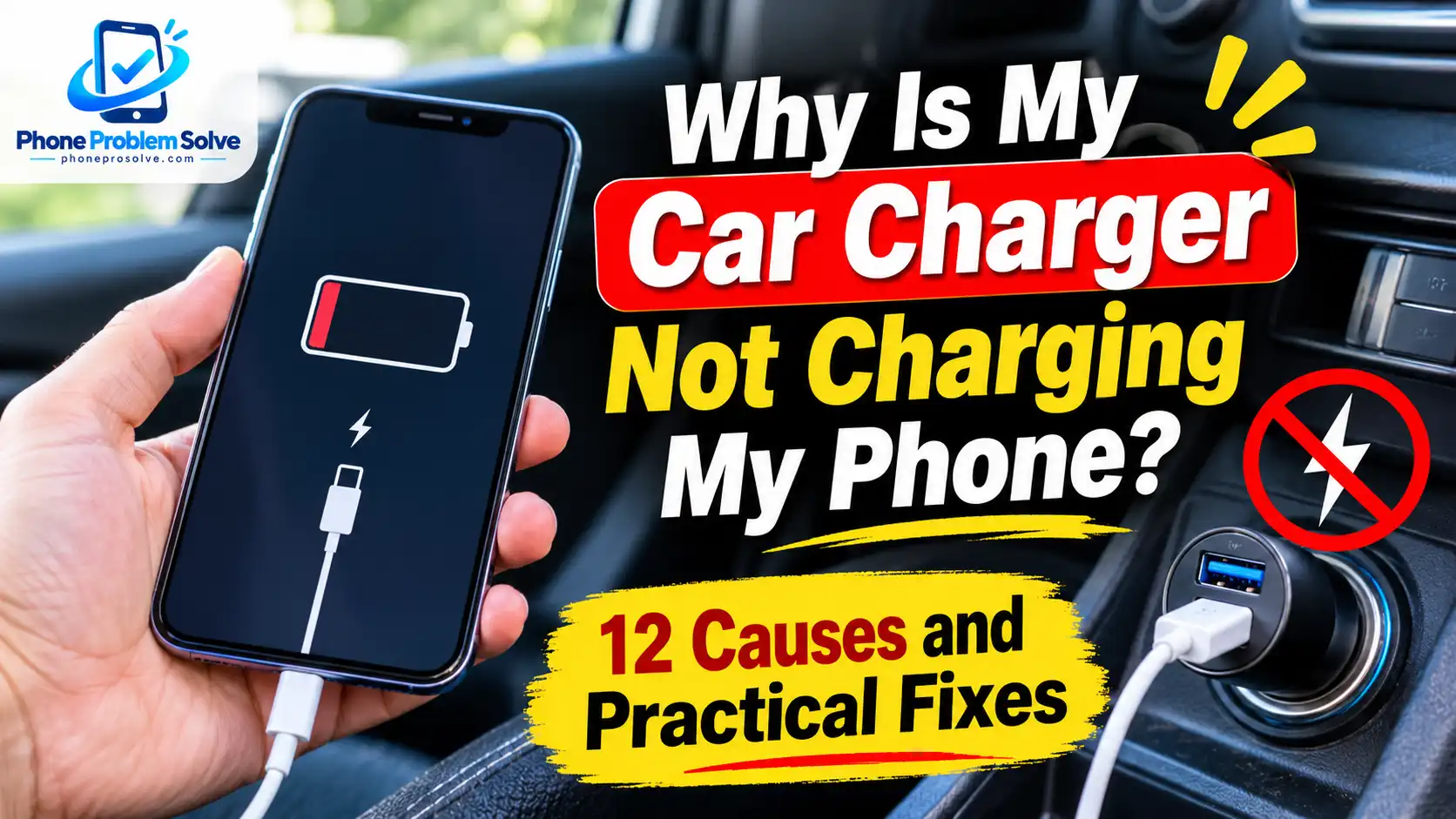
You plug your phone into your car charger, expect the battery percentage to increase, and then notice that nothing is happening. Sometimes the phone shows a charging icon but barely gains any battery. In other cases, it connects and disconnects repeatedly or only starts charging when the car is running.
So, why is my car charger not charging my phone?
The problem could be a faulty car charger adapter, a damaged USB cable, a low-power car USB port, a malfunctioning 12V accessory socket, or an issue with your phone. Your vehicle’s ignition settings and electrical system can also affect charging.
The good news is that you can check most of these possibilities without immediately replacing your phone or paying for a repair. This guide explains the most common causes and walks you through practical solutions for iPhone, Samsung Galaxy, Google Pixel, and other Android phones.
Why Is My Car Charger Not Charging My Phone? 12 Common Causes
Before replacing your car charger, it helps to understand where the problem might be. Your phone needs a compatible power source, a suitable cable, and a stable connection to charge properly.
Here are 12 common reasons your phone may not charge in the car.
1. Your Car’s Built-In USB Port Is Not Providing Enough Power
Many vehicles have built-in USB ports that allow you to connect a smartphone, play music, use infotainment features, or charge smaller devices.
However, not every built-in USB port provides the same amount of charging power. Some older vehicles have USB ports with limited output, which may be enough for basic charging but not enough to charge a modern phone quickly.
For example, your phone might gain a small amount of battery while the screen is off but lose power when you use navigation or stream music.
If your phone charges normally with a wall adapter but charges very slowly through the car’s built-in USB port, the port’s power output could be the problem.
2. Your Car’s USB Port Is Designed for Infotainment or Data
Some vehicles have different USB ports for charging and connecting devices to the infotainment system.
A USB port may be intended primarily for Apple CarPlay, Android Auto, music playback, or data transfer. Other ports may provide charging-only functionality.
The exact arrangement depends on the vehicle’s make, model, year, and trim level.
For example, certain Hyundai vehicles provide different USB port modes for charging and infotainment connections. You can see how this works in the Hyundai owner’s manual for its USB port.
Check the labels around your vehicle’s USB ports and consult its owner’s manual to identify which port is suitable for charging.
3. Your 12V Car Charger Adapter Is Faulty
If you use a USB car charger that plugs into the 12V accessory socket, the adapter itself could be defective.
Car charger adapters contain electronic components that convert the vehicle’s electrical supply into suitable USB charging power. These components can stop working because of internal damage, overheating, poor construction, or normal wear.
Common signs of a faulty car charger include:
- The charging indicator on the adapter does not turn on, if it has one.
- Your phone does not recognize the charger.
- The adapter works intermittently.
- The charger becomes unusually hot.
- Another compatible phone also fails to charge.
Try a different, reliable car charger that supports your phone’s charging requirements. If the replacement works normally, the original adapter is probably the problem.
Stop using an adapter that smells burnt, has melted parts, or becomes excessively hot.
4. The Car’s 12V Accessory Socket Is Not Working
Your car charger may be perfectly fine, but the vehicle’s 12V accessory socket may not be supplying power.
This socket is sometimes called a cigarette-lighter socket because older vehicles used it for cigarette lighters. Today, drivers commonly use it for phone chargers, dashcams, and other compatible accessories.
A faulty socket may have:
- Dirt or debris inside the opening.
- Damaged or worn contact points.
- A loose connection.
- A blown vehicle fuse.
- An underlying electrical problem.
To check whether the socket works, turn off the vehicle and disconnect your charger. Inspect the socket from the outside under good lighting. Do not insert metal objects or attempt to repair its electrical contacts.
You can also test it with another compatible accessory designed for that socket. If multiple accessories fail, the vehicle’s socket or electrical system may need inspection.
5. Your USB Charging Cable Is Damaged or Incompatible
A damaged or unsuitable cable is one of the easiest causes to overlook.
Even if a cable looks normal, its internal wiring or connectors may be worn. This can interrupt power delivery or prevent your phone from charging consistently.
You may notice that:
- Your phone charges only when the cable is held at a certain angle.
- Charging starts and stops while driving.
- The cable feels loose when connected.
- The same cable fails with another compatible charger.
- Charging works after switching to a different cable.
Try another cable that is known to work with your phone.
Also, remember that not every cable supports the same charging speed. A basic cable may charge your device but fail to deliver the power required for faster charging.
Avoid using cables with exposed wires, damaged connectors, melted insulation, or loose fittings.
6. The Charger Is Not Properly Connected
A car charger needs a stable connection to deliver power.
If the adapter is not fully inserted into the 12V socket, it may fail to make proper contact. The same problem can happen when a cable is not firmly connected to the adapter or phone.
This issue may become more noticeable when driving over uneven roads because movement can interrupt a loose connection.
Check the following:
- Is the adapter fully inserted into the 12V socket?
- Does the USB cable fit securely into the adapter?
- Is the cable firmly connected to your phone?
- Does the phone case prevent the cable from connecting properly?
Reconnect the charger carefully and check whether charging becomes stable.
Never force an adapter into a socket that does not fit correctly.
7. The Charger Does Not Support Your Phone’s Charging Standard
Modern smartphones use different charging technologies. A charger may provide power but still fail to deliver the charging speed your phone supports.
For example, some phones support USB Power Delivery (USB-PD), while certain Samsung Galaxy models use USB-PD with Programmable Power Supply (PPS) for particular Super Fast Charging modes.
A car charger that advertises a high wattage does not automatically guarantee compatibility with every smartphone.
Before buying a replacement, check:
- Your phone’s supported charging standard.
- The charger’s USB-A or USB-C output specifications.
- Whether the adapter supports the required charging protocol.
- Whether the cable supports the expected power level.
Samsung explains these differences in its official Galaxy fast-charging troubleshooting guide.
Using a compatible charger and cable is more important than choosing an adapter simply because it advertises a higher wattage.
8. A Fuse Is Preventing the Car Charger From Working
A blown fuse can interrupt power to a vehicle’s USB port or 12V accessory socket.
Vehicles use fuses to protect electrical circuits against excessive current. If a fuse fails, the connected socket or accessory may stop working.
Some 12V car charger adapters also include a replaceable fuse inside the plug, although the design varies by product.
If your car charger suddenly stops working, check whether the vehicle’s socket still supplies power. If it does not, consult the owner’s manual to identify the correct fuse and its location.
Do not replace a fuse with one that has a higher current rating. Never bypass a fuse or attempt to bridge the fuse contacts.
If a replacement fuse blows again, stop using the socket and arrange an inspection by a qualified mechanic.
9. Your Car Charger Only Works When the Ignition Is On
Some vehicles supply power to their USB ports or 12V accessory sockets only when the ignition is in the ACC or ON position.
This means your phone may not charge when the vehicle is completely switched off.
Other vehicles may keep certain accessory outlets powered for a limited period after the engine is turned off. The behaviour varies by vehicle.
Check your owner’s manual to understand how your vehicle’s accessory power system works.
Also, avoid leaving a phone charger or other electrical accessory connected for extended periods when the engine is off. Depending on the vehicle, continued power use may contribute to draining its 12V battery.
10. Your Phone’s Charging Port Is Dirty or Damaged
Sometimes the car charger is working correctly, but your phone cannot establish a reliable connection.
Dust, pocket lint, and other debris can collect inside the phone’s charging port. This may prevent the cable connector from making proper contact.
Look for these symptoms:
- The charging cable does not fit securely.
- Your phone connects and disconnects repeatedly.
- The phone charges only at certain cable angles.
- Several different chargers produce the same problem.
Disconnect the cable and inspect the charging port under good lighting.
Do not insert metal pins, needles, paper clips, or other objects into the port. Avoid pouring liquids or cleaning solutions into it.
For Google Pixel phones, Google’s official USB-C port guidance explains how to respond to liquid or debris warnings and why you should not put objects into the port.
If the port appears damaged, corroded, or blocked by debris that cannot be removed safely, contact an authorized repair provider.
11. Your Phone Is Overheating or Running Power-Hungry Apps
Your phone may be receiving power from the car charger but using almost as much energy as it receives.
This is particularly common when using demanding features such as:
- GPS navigation.
- Google Maps or other navigation apps.
- High screen brightness.
- Video streaming.
- Mobile hotspot.
- Games and other demanding apps.
Heat can make the situation worse.
The inside of a parked car can become very hot, especially when the phone is exposed to direct sunlight. If your device becomes too warm, its charging system may automatically slow down or temporarily pause charging to protect the battery.
Try moving the phone away from direct sunlight, reducing screen brightness, and stopping unnecessary background activities.
If your phone regularly loses battery while charging in the car, you may also find our guide on why your phone battery drains so fast helpful.
12. There Is a Vehicle Electrical or Wiring Problem
If multiple working chargers and compatible accessories fail in the same vehicle socket, the problem may be related to the vehicle’s electrical system.
Possible causes include:
- A damaged 12V accessory socket.
- A faulty USB charging module.
- Loose electrical connections.
- Damaged wiring.
- A repeatedly failing fuse.
These problems are not always easy to identify without the correct tools.
Do not remove dashboard panels or attempt electrical repairs unless you have the appropriate experience. A qualified mechanic or vehicle electrician can inspect the circuit and identify the underlying problem.
How to Fix a Car Charger That Is Not Charging Your Phone
Now that you know the possible causes, follow these troubleshooting steps in order.
Start with the easiest checks. This will help you identify whether the problem comes from the phone, cable, adapter, vehicle USB port, or 12V socket.
1. Test Your Phone With a Wall Charger First
Before troubleshooting the car charger, check whether your phone charges normally from a reliable wall adapter.
Follow these steps:
- Disconnect your phone from the car charger.
- Connect it to a compatible wall charger.
- Make sure the cable and adapter are in good condition.
- Leave the phone connected briefly.
- Check whether the charging indicator appears and the battery percentage increases.
What does the result mean?
If your phone charges normally from the wall adapter, the problem is more likely related to the car charger, vehicle USB port, or 12V socket.
If it does not charge from the wall adapter either, the problem may be with your phone, charging cable, or another accessory.
You can follow our guide on how to fix a phone that is not charging for more general troubleshooting steps.
2. Try a Different USB Charging Cable
A faulty cable can prevent your phone from receiving power even when the car adapter is working.
To test it:
- Disconnect the existing cable.
- Inspect it for damage.
- Get another compatible cable that you know works.
- Connect the replacement cable to your car charger.
- Check whether your phone starts charging.
If the replacement works, your original cable may be damaged or incompatible.
For the best results, use a cable that supports your phone’s charging requirements.
3. Test the Car Charger With Another Phone
This is a useful way to determine whether the problem comes from your phone or the car charging equipment.
Try the following:
- Keep the same car charger adapter.
- Use a compatible, working cable.
- Connect another smartphone.
- Check whether the second phone starts charging.
If the second phone charges normally, your original phone or its compatibility with the charger may be responsible.
If neither phone charges, investigate the car charger adapter, USB port, or 12V accessory socket.
4. Check Your Car’s Built-In USB Port
If you are using the USB port installed in your dashboard or centre console, inspect its connection and charging capability.
First, identify which USB ports in your vehicle support charging. Some ports are intended for infotainment or data connections, while others are specifically designed for charging.
Then:
- Disconnect the charging cable.
- Check the USB port for visible damage.
- Try another compatible cable.
- Connect your phone to another charging-capable USB port, if available.
- Check whether the phone starts charging.
If none of the vehicle’s USB ports works, consult the owner’s manual or contact the vehicle manufacturer.
5. Try a Compatible 12V Car Charger Adapter
If the built-in USB port does not provide enough power, a suitable 12V car charger adapter may be a better option.
These adapters connect to the vehicle’s accessory socket and provide USB charging outputs.
When choosing one, check:
- Whether it supports your phone’s charging standard.
- Whether its output matches your phone’s requirements.
- Whether it has the correct USB-A or USB-C port.
- Whether it comes from a reputable manufacturer.
For example, if your phone supports USB-C Power Delivery, consider a reputable car adapter that specifically supports USB-PD.
Do not assume that every USB-C car charger supports the same charging speed.
6. Check Whether the Adapter Fits Properly in the 12V Socket
A loose connection between the car charger and the 12V socket can interrupt power delivery.
Disconnect the adapter and inspect its exterior for visible damage. Then reconnect it according to the manufacturer’s instructions.
Check whether:
- The adapter sits securely in the socket.
- It moves excessively when lightly touched.
- The socket looks damaged or worn.
- Charging stops when the connection becomes loose.
If the socket or adapter does not fit correctly, do not force it.
A damaged or loose socket should be inspected by a qualified technician.
7. Check Your Car’s Ignition and Accessory Power Settings
Some car charging ports do not receive power when the vehicle is switched off.
Check whether your vehicle requires the ignition to be in ACC or ON mode before its USB ports or 12V socket become active.
Consult your owner’s manual rather than assuming every vehicle works the same way.
For example, the Kia owner’s manual for its USB charger explains that the vehicle must be in the ON position for that model’s USB charger to operate.
If the charger works only when the ignition is on, this may be normal vehicle behaviour rather than a fault.
8. Check the Car Charger Adapter’s Fuse
Some car charger adapters have a replaceable fuse inside the plug.
If your adapter suddenly stops working, check its product instructions to see whether it has a user-replaceable fuse.
If the manufacturer provides replacement instructions:
- Disconnect the adapter from the 12V socket.
- Allow it to cool completely.
- Follow the manufacturer’s instructions to access the fuse.
- Use only the specified replacement type and rating.
- Reassemble the adapter correctly before using it again.
Do not open a sealed charger or try to repair its internal electronics.
If the fuse is not designed to be replaced by the user, replace the adapter with a suitable model.
9. Check the Vehicle’s USB Port or 12V Socket Fuse
If the vehicle’s USB port or accessory socket has stopped working, its electrical circuit may have a blown fuse.
Check your vehicle’s owner’s manual to identify the correct fuse location and rating.
If you are comfortable following the manufacturer’s instructions, you can inspect the relevant fuse.
Important safety precautions:
- Switch off the vehicle before inspecting the fuse.
- Use the correct replacement fuse rating.
- Never install a higher-rated fuse.
- Do not bypass or bridge a fuse.
- Stop if the replacement fuse blows again.
If you cannot identify the correct fuse or are unsure how to replace it, let a qualified mechanic handle the inspection.
10. Check Your Phone’s Charging Port Safely
A dirty or damaged phone port can prevent even a good car charger from working.
Disconnect the phone from the charger and inspect the port carefully.
Look for visible dust, lint, moisture, or physical damage.
If your phone displays a liquid-detection warning, disconnect the charger immediately and follow the manufacturer’s instructions. Do not keep reconnecting the cable to see whether charging starts.
For additional guidance, see Google’s instructions for liquid or debris warnings.
If the charging port appears damaged or debris is stuck inside, professional cleaning or repair is the safer option.
11. Reduce Phone Usage and Allow It to Cool Down
Your phone may not gain battery while charging because its power consumption is too high.
This can happen when you use navigation, stream videos, run demanding apps, or keep the display at maximum brightness.
Try this simple test:
- Connect your phone to a working car charger.
- Reduce the screen brightness.
- Close demanding apps.
- Stop unnecessary video streaming or gaming.
- Keep the phone away from direct sunlight.
- Allow the device to cool down if it feels unusually hot.
- Check whether the battery percentage begins increasing.
You do not need to disable every app or turn off every feature. Focus on reducing activities that consume considerable power.
If charging improves when the screen is off, heavy phone usage may have been contributing to the problem.
12. Get Professional Help for Persistent Problems
If you have tried different cables, adapters, and charging ports but your phone still does not charge in the car, further inspection may be necessary.
Contact a qualified mechanic if:
- The 12V socket does not work with multiple compatible accessories.
- The vehicle’s USB ports have stopped working.
- A fuse keeps blowing.
- You notice burning smells, melted plastic, or damaged wiring.
Contact an authorized phone repair provider if:
- Your phone fails to charge with multiple working chargers.
- Its charging port appears damaged.
- You repeatedly receive liquid-detection warnings.
- The device becomes unusually hot during normal charging.
Do not continue using a charger or socket that shows signs of overheating or electrical damage.
Why Is My Phone Charging Slowly or Losing Battery in the Car?
Sometimes the car charger is not completely broken. Your phone may actually be charging, but the battery percentage increases very slowly or continues to decrease.
This usually happens when the available charging power is limited or the phone is consuming too much energy.
Here are some common explanations.
Your Car’s USB Port Has Limited Power Output
Some built-in car USB ports provide less power than a dedicated wall adapter or modern 12V USB-C charger.
Your phone may charge slowly through these ports, especially when you use navigation or keep the screen switched on.
Compare the charging performance using a compatible wall adapter and a suitable car charger.
Navigation and GPS Apps Are Consuming Power
Navigation apps use GPS, mobile data, the display, and background processes.
When these features run continuously, your phone needs more power.
If the car charger provides limited output, the battery may increase very slowly or even decrease.
Try reducing screen brightness and avoiding unnecessary apps while navigating.
Apple CarPlay or Android Auto Is Being Used
Apple CarPlay and Android Auto can involve continuous phone-to-vehicle connectivity, navigation, media playback, and other activities.
Depending on your phone, vehicle connection, and charging setup, these activities can contribute to overall power consumption.
If your battery percentage keeps falling, compare charging with and without these features running. Keep your phone adequately ventilated while using navigation.
Your Phone’s Screen Brightness Is Too High
A bright display can increase power consumption, particularly when navigation is running for a long time.
Reducing the brightness may help your phone gain battery more consistently.
You can also turn off the display when you do not need to look at the map.
Your Phone or Charger Is Getting Too Hot
Heat can reduce charging performance.
A phone mounted near the windscreen may receive direct sunlight, especially during long drives. Charging may slow down if the device becomes too warm.
Move the phone away from direct sunlight and allow it to cool naturally.
Apple explains that temperature protection can slow or temporarily pause charging in its official iPhone charging guidance.
Your Charger Does Not Support Fast Charging
A car charger may support basic charging without supporting your phone’s faster charging standard.
For example, a USB-C connector alone does not guarantee USB Power Delivery or the charging speed your phone supports.
Check the adapter’s specifications and compare them with your phone manufacturer’s recommendations.
For a more detailed explanation, read our guide on why your phone is not charging fast.
Built-In Car USB Port vs. 12V Car Charger: Which Is Better?
Both options can charge a smartphone, but they may offer different levels of power and compatibility.
| Feature | Built-In Car USB Port | 12V Car Charger Adapter |
|---|---|---|
| Installation | Already installed in the vehicle | Plugs into the accessory socket |
| Convenience | Usually very convenient | Requires a separate adapter |
| Charging power | Depends on the vehicle | Depends on the adapter |
| Fast charging | May be limited | Available with compatible models |
| Compatibility | Depends on the vehicle’s port | Depends on the adapter and phone |
| Replacement | May require vehicle servicing | Usually easy to replace |
Built-In USB Charging Port
A built-in USB port is convenient because you do not need an extra adapter.
However, its charging capability depends on the vehicle’s design. Some ports provide limited power, while others support faster charging.
Check your owner’s manual to understand the function and output of each port.
12V Accessory Socket Charger
A 12V car charger adapter is a useful alternative when the built-in USB port provides insufficient power.
You can select an adapter that supports the charging standard and output required by your phone.
However, the adapter must be compatible with the vehicle’s socket and your phone’s charging requirements.
USB-A vs. USB-C Car Charger
USB-A and USB-C are different connector types. However, the connector alone does not determine the charging speed.
Some USB-A adapters support basic charging, while certain USB-C adapters support USB Power Delivery.
The important thing is to check the actual power output and charging protocols listed in the product specifications.
Which Option Is Better for Fast Charging?
A suitable 12V USB-C charger may provide faster charging than an older built-in USB port.
However, it is not guaranteed. The final charging speed depends on the phone, charger, cable, vehicle power supply, and charging conditions.
Choose the option that matches your exact phone model rather than relying only on advertised wattage.
What If Your Wireless Car Charger Is Not Charging Your Phone?
Some vehicles and aftermarket phone mounts include wireless charging.
If your wireless car charger is not working, the problem may be unrelated to your wired USB cable or 12V adapter.
Check these possibilities.
Check Whether Your Phone Supports Wireless Charging
Not every smartphone supports wireless charging.
Check your phone’s specifications to confirm that it supports the wireless charging standard used by your car’s charging pad.
If the phone does not support wireless charging, a compatible wired charger will be necessary.
Position Your Phone Correctly on the Charging Pad
Wireless charging requires proper alignment between the phone and the charging coil.
If the phone is placed incorrectly, charging may not start or may become inconsistent.
Adjust its position according to the mount or vehicle manufacturer’s instructions.
Check Whether Your Phone Case Is Interfering
Some thick cases, metal accessories, magnetic attachments, or other objects can interfere with wireless charging.
Try removing the case and placing the phone directly on the charging pad.
If charging works without the case, its design or thickness may be affecting the connection.
Check the Wireless Charger and Power Adapter
A wireless charging mount needs a suitable power source.
If its supplied adapter or cable is damaged or incompatible, the charging pad may not operate correctly.
Use the power adapter recommended by the charger manufacturer and check the product specifications.
How to Choose the Right Car Charger for Your Phone
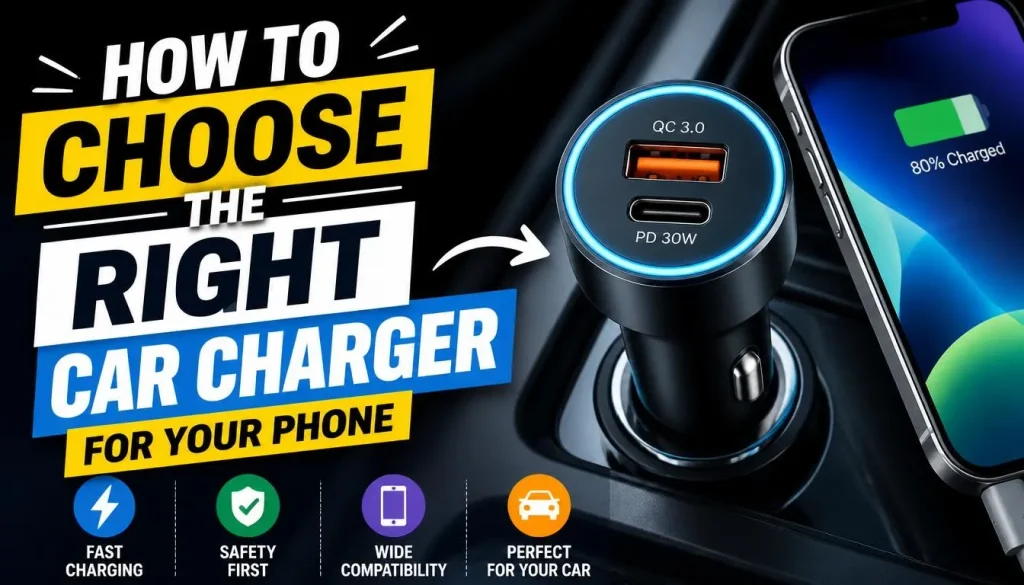
Choosing a compatible car charger can prevent many charging problems.
Before purchasing one, consider the following factors.
Check Your Phone’s Supported Charging Standard
Find out which charging technologies your phone supports.
For example, some smartphones support USB Power Delivery, while certain models require additional charging protocols for their fastest charging modes.
Check your phone manufacturer’s specifications before buying an adapter.
Choose a Compatible USB-C PD or Other Supported Charger
If your phone supports USB-C Power Delivery, look for a car charger that specifically lists USB-PD support.
For Samsung models that require PPS for particular fast-charging modes, check whether the adapter supports PPS as well.
Do not assume that every USB-C car charger provides the same performance.
Check the Charger’s Power Output
Look at the output specifications printed on the adapter or listed on its product page.
Compare the supported output with your phone’s requirements.
A higher-wattage adapter does not automatically make a phone charge faster. The phone controls the power it accepts according to its supported charging capabilities.
Use a Good-Quality Charging Cable
Choose a compatible cable from a reputable manufacturer.
Make sure it supports the power requirements of both your phone and charger.
Avoid damaged, loose, or unverified cables, especially those that advertise unusually high charging speeds without clear specifications.
Avoid Damaged or Poor-Quality Car Chargers
A charger that becomes excessively hot, smells burnt, or has damaged connectors should be replaced.
Look for products with clear manufacturer information, appropriate safety protections, and specifications that match your vehicle and phone.
When Should You Replace Your Car Charger or Get Professional Help?
Not every charging problem requires a repair. However, some warning signs mean you should stop troubleshooting and seek professional assistance.
Consider replacing your car charger if:
- It does not charge multiple compatible phones.
- Its connector is loose or damaged.
- It repeatedly disconnects despite a working cable.
- It has melted sections or exposed components.
- It becomes unusually hot during normal use.
Contact a mechanic or vehicle electrician if:
- The 12V accessory socket does not supply power.
- The vehicle’s USB ports have stopped working.
- A replacement fuse repeatedly fails.
- You notice burning smells, damaged wiring, or other electrical problems.
If your phone also fails to charge from a reliable wall adapter, the problem may be inside the phone rather than the vehicle.
Avoid attempting electrical repairs while driving. Always park safely before inspecting any charging equipment.
Frequently Asked Questions
Why won’t my phone charge when plugged into my car USB port?
Your car’s USB port may provide limited power, may not support your phone’s charging requirements, or may have a damaged connection. Try another compatible cable and USB port. If possible, compare the result with a suitable 12V car charger.
Why does my car charger work with another phone but not mine?
Your phone may have a dirty or damaged charging port, or it may not support the charger’s charging standard. Try a different compatible cable and test your phone with a reliable wall charger. If the problem continues, have the phone inspected.
Why does my phone lose battery while charging in the car?
Your phone may be consuming more power than the car charger supplies. Navigation, mobile data, high screen brightness, streaming, and demanding apps can contribute to battery drain. A low-power car USB port can make the problem worse.
Why does my car charger keep connecting and disconnecting?
Repeated connection problems may be caused by a loose adapter, damaged cable, worn 12V socket, or poor contact inside the phone’s charging port. Test a different cable and inspect the adapter and socket for visible damage.
Why does my car charger only work when the car is on?
Some vehicles supply power to their USB ports and accessory sockets only when the ignition is in ACC or ON mode. Check your vehicle’s owner’s manual to understand when its charging ports receive power.
Can a car USB port charge a phone?
Yes. Many modern vehicles include USB ports that can charge compatible smartphones. However, the charging speed and compatibility depend on the port’s specifications and the phone being connected.
Is a 12V car charger better than a built-in USB port?
A compatible 12V charger may provide more power than an older built-in USB port. However, the result depends on the vehicle, adapter, cable, and phone. Compare their specifications before choosing one.
Can a faulty car charger damage my phone?
A damaged, poorly made, or incompatible charger can create charging problems and may pose a safety risk. Use a reputable adapter that supports your phone’s charging requirements. Stop using any charger that becomes excessively hot, smells burnt, or shows visible damage.
Final Thoughts
When your car charger is not charging your phone, the problem is not always a damaged battery or phone.
A faulty adapter, incompatible cable, low-power USB port, damaged 12V socket, or vehicle electrical issue could be responsible. In some cases, your phone may actually be charging but using too much power for the battery percentage to increase.
Start by testing your phone with a wall charger, trying another cable, and checking whether the car’s USB port or 12V socket works with another compatible device. These simple tests can help you identify where the problem is coming from.
If the problem continues after trying different charging accessories, check your vehicle’s owner’s manual or contact a qualified mechanic. If your phone also fails to charge with a reliable wall charger, arrange a professional phone inspection.
Using a compatible, good-quality car charger and keeping your phone away from excessive heat can help make charging more reliable during your daily commute and longer road trips.
Internal links included: The article links to your existing general phone-not-charging guide, fast-charging guide, and battery-drain guide in relevant contexts. These are intended to support the new car-specific article without repeating their broader topics.
External references included: Apple Support, Samsung Support, Google Pixel Help, Hyundai Owner’s Manual, and Kia Owner’s Manual. These provide manufacturer guidance for charging compatibility, temperature, USB ports, and vehicle power behaviour.

“The right smartphone can make a bigger difference than you think.”
Hi, I’m Ethan Collins, a technology writer and smartphone enthusiast at PhoneProSolve.com.
My interest in smartphones started with a simple question: How do you know which phone is actually right for your needs?
With so many brands, models, features, specifications, operating systems, accessories, and price ranges available today, choosing the right phone can quickly become confusing. And when a phone starts overheating, charging slowly, draining its battery, running slowly, or developing other problems, finding a clear solution can be just as frustrating.
I created PhoneProSolve.com to make that process easier.
Through this website, I share practical smartphone guides, product comparisons, buying advice, troubleshooting tips, how-to guides, accessory information, and solutions to common phone problems.
I focus on turning complicated technical information into clear, practical, and easy-to-understand guidance that everyday readers can actually use.
Whether you’re searching for a smartphone with better battery life, a powerful device for gaming, a reliable camera phone, useful accessories, or simply trying to figure out why your current phone isn’t working properly, my goal is to help you find the information you need before making a decision.
I believe good recommendations should be based on careful research, real-world considerations, honest pros and cons, and the specific needs of the user—not simply marketing claims.
Through PhoneProSolve.com, I’m committed to helping readers understand their smartphones, solve common phone problems, choose useful products, and make smarter purchasing decisions with confidence.
— Ethan CollinsAuthor & Technology WriterPhoneProSolve.com