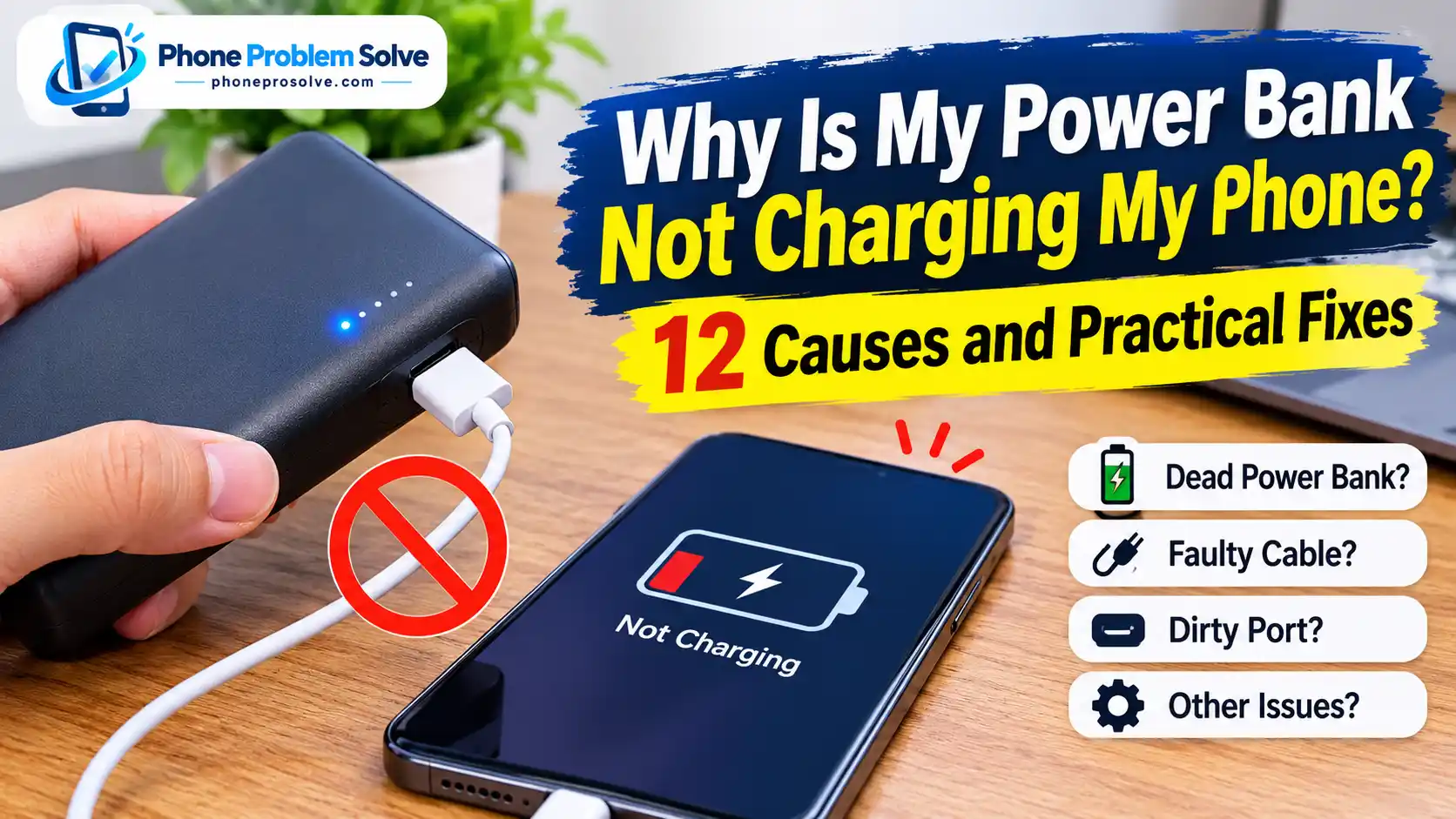
A power bank is supposed to keep your phone running when you are away from a wall outlet. But what happens when you connect your phone and nothing happens? The power bank may show a full battery, its indicator lights may turn on, and yet your phone refuses to charge.
This problem can be frustrating, especially when you need your phone for navigation, work, travel, or an important call.
So, why is your power bank not charging your phone?
The cause could be something simple, such as a faulty USB cable, an incorrect output port, or a power bank that needs to be switched on. In other cases, the problem may involve insufficient output power, incompatible charging standards, a damaged port, or a worn-out internal battery.
The good news is that you can check most of these issues at home without opening the power bank or taking your phone apart.
This guide explains 12 common reasons a power bank may not charge your phone and provides practical steps to troubleshoot the problem. Whether you use an iPhone, Samsung Galaxy, Google Pixel, or another Android phone, start with the simple checks and work through the solutions in order.
Quick Answer: Why Is Your Power Bank Not Charging Your Phone?
A power bank may fail to charge your phone because its battery is empty, its output is switched off, you are using the wrong port, or the USB cable is damaged. Other possibilities include incompatible charging standards, insufficient output power, overheating, or a faulty power bank.
Start by checking these five things:
- Make sure the power bank has enough battery.
- Confirm that you are using an output port rather than an input-only port.
- Try a different, compatible USB cable.
- Press the power button if your power bank requires manual activation.
- Test another output port or connect a different phone.
If the power bank charges another phone successfully, the original phone, cable, or compatibility may be responsible. If it cannot charge any compatible device, the power bank itself may have a problem.
Why Is My Power Bank Not Charging My Phone? 12 Common Causes
Before trying different fixes, it helps to understand what might be preventing your phone from receiving power. The issue is not always a dead power bank. Sometimes, a small connection or compatibility problem is enough to interrupt charging.
Here are 12 possible causes.
1. Your Power Bank Has Run Out of Battery
This is one of the simplest explanations.
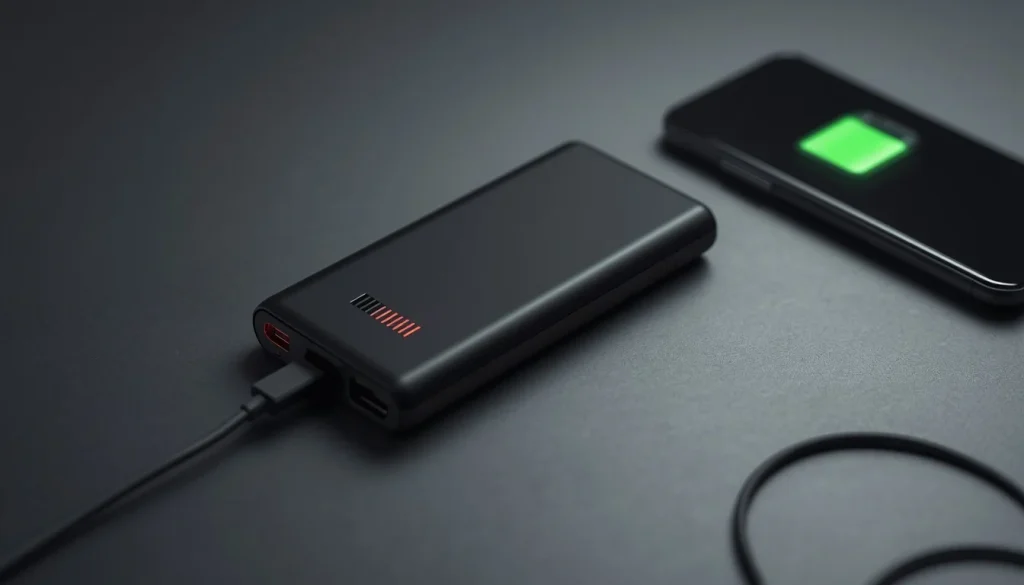
A power bank can look normal even when its remaining battery level is too low to charge another device. Its indicator lights may still turn on, but that does not necessarily mean it has enough stored energy to deliver a stable output.
This can happen when:
- You have used the power bank several times without recharging it.
- The power bank has been stored for a long time.
- Its battery level indicator is inaccurate.
- The power bank is older and has lost some of its usable capacity.
What to check: Look at the battery indicator or display. If the remaining charge is low, connect the power bank to a suitable wall charger and allow it to recharge according to the manufacturer’s instructions.
Do not assume that a power bank is fully charged just because its indicator lights illuminate.
2. The Power Bank’s Output Is Not Activated or Has Entered Sleep Mode
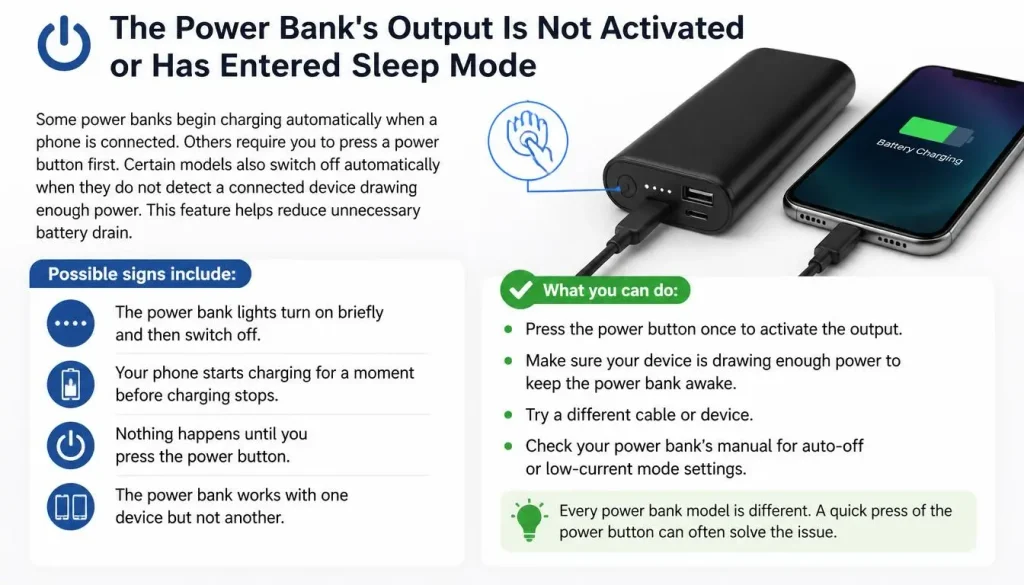
Some power banks begin charging automatically when a phone is connected. Others require you to press a power button first.
Certain models also switch off automatically when they do not detect a connected device drawing enough power. This feature helps reduce unnecessary battery drain.
If your phone is not drawing power, the power bank may enter standby or sleep mode.
Possible signs include:
- The power bank lights turn on briefly and then switch off.
- Your phone starts charging for a moment before charging stops.
- Nothing happens until you press the power button.
- The power bank works with one device but not another.
What to check: Disconnect your phone, press the power bank’s power button if it has one, and reconnect the cable. Some models use a double press or a specific button combination to activate a special output mode.
The exact method depends on the manufacturer. Check the user manual instead of trying random button combinations.
3. You Are Using the Wrong USB Port (Input vs. Output)
This is a common issue with power banks that have multiple USB connections.
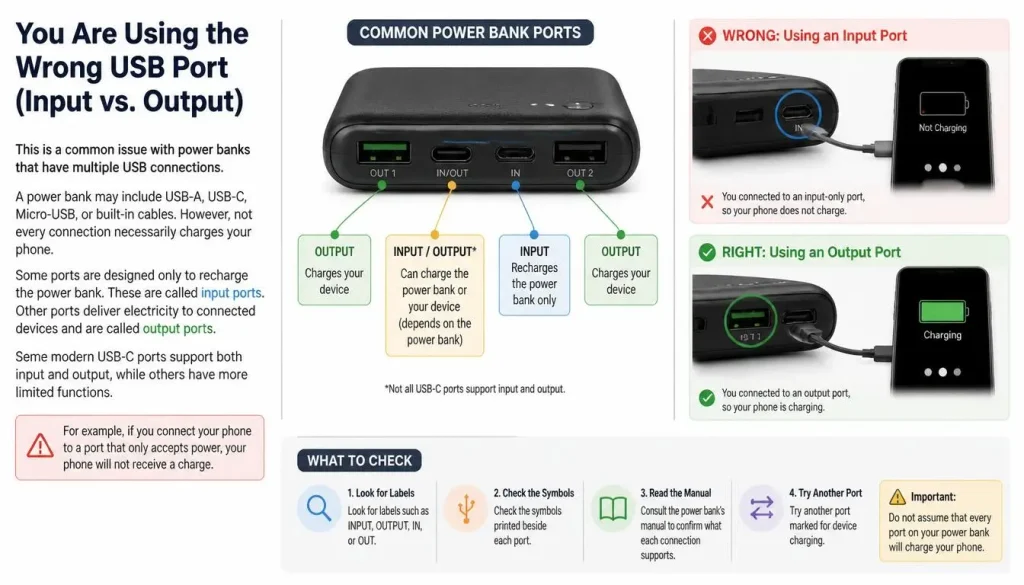
A power bank may include USB-A, USB-C, Micro-USB, or built-in cables. However, not every connection necessarily charges your phone.
Some ports are designed only to recharge the power bank. These are called input ports. Other ports deliver electricity to connected devices and are called output ports.
Some modern USB-C ports support both input and output, while others have more limited functions.
For example, if you connect your phone to a port that only accepts power, your phone will not receive a charge.
What to check:
- Look for labels such as INPUT, OUTPUT, IN, or OUT.
- Check the symbols printed beside each port.
- Consult the power bank’s manual to confirm what each connection supports.
- Try another port marked for device charging.
Do not assume that every USB-C port on a power bank works in both directions.
4. Your USB Charging Cable Is Damaged or Incompatible
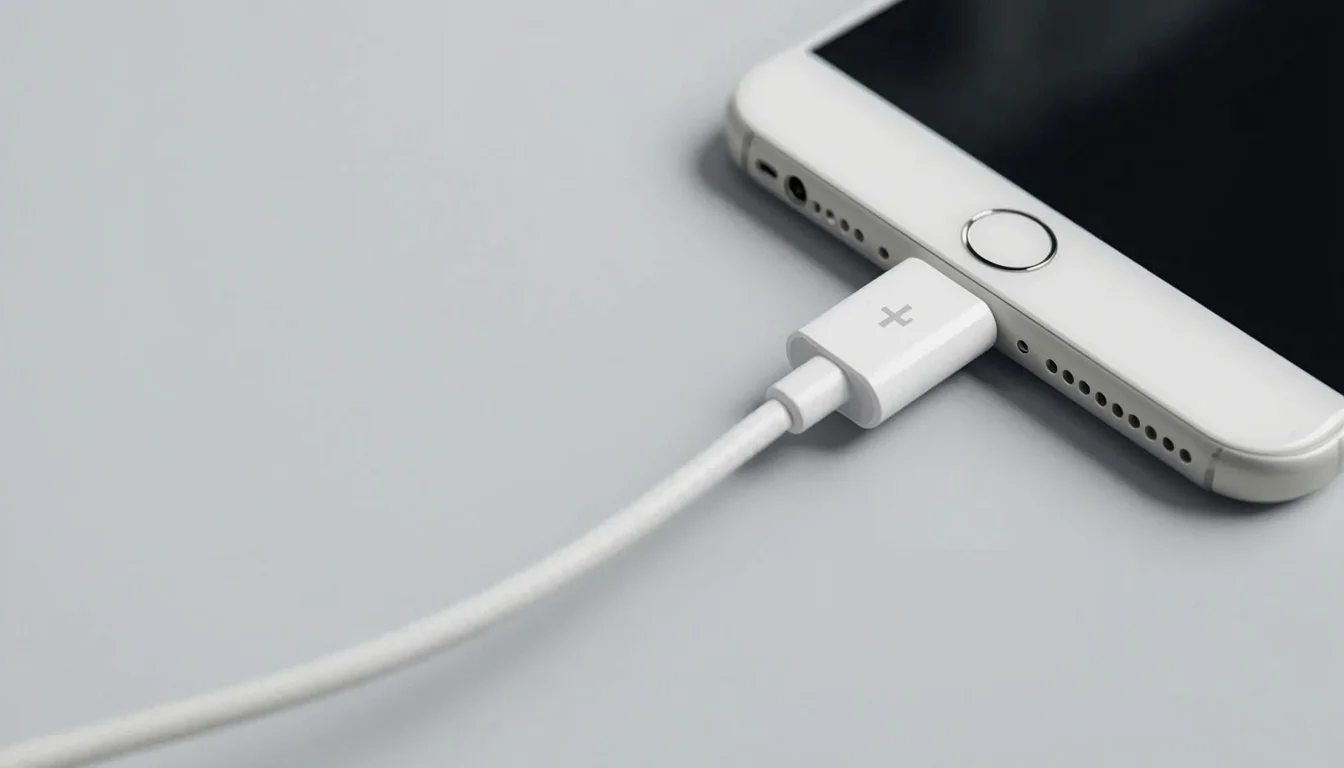
A faulty cable can prevent a perfectly good power bank from charging your phone.
Charging cables are frequently bent, twisted, pulled, and carried in pockets or bags. Over time, their internal wires or connectors can become damaged.
A cable may also be incompatible with the power bank or phone’s charging requirements.
Watch for these signs:
- Charging starts and stops repeatedly.
- The phone charges only when the cable is held at a certain angle.
- The connector feels loose.
- The cable has exposed wires or damaged insulation.
- The same cable fails with another compatible charger.
What to check: Replace the cable temporarily with one that you know works.
Make sure its connectors match your devices. For example, a USB-C-to-USB-C cable is not interchangeable with a USB-A-to-USB-C cable in every charging setup.
Also, remember that a USB-C connector does not automatically mean a cable supports every charging capability. The cable and connected devices must support the required power specifications.
The USB Implementers Forum’s USB Type-C guidance explains the relationship between USB Type-C and USB Power Delivery.
5. The Power Bank’s USB Port Is Dirty or Damaged
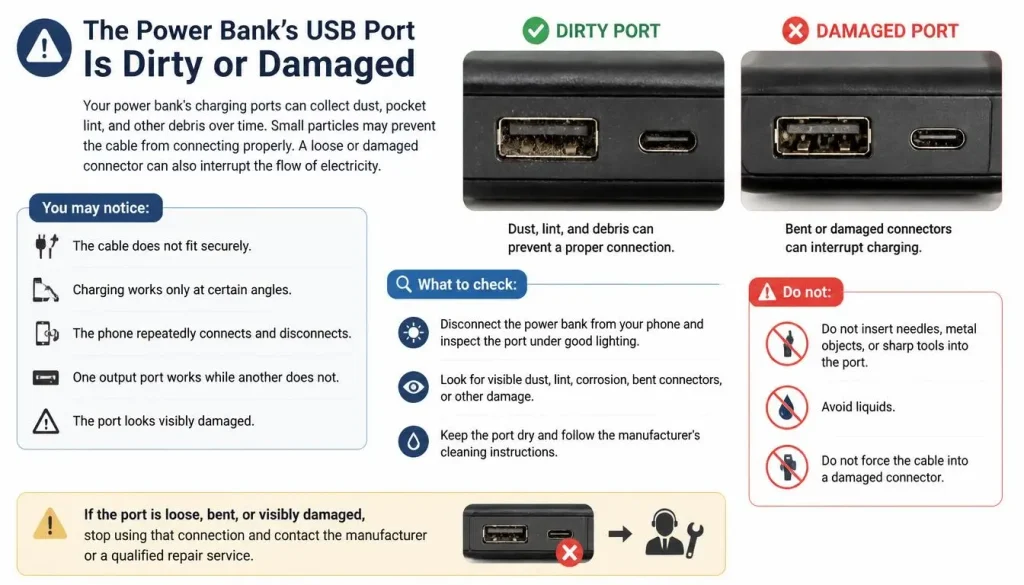
Your power bank’s charging ports can collect dust, pocket lint, and other debris over time.
Small particles may prevent the cable from connecting properly. A loose or damaged connector can also interrupt the flow of electricity.
You may notice:
- The cable does not fit securely.
- Charging works only at certain angles.
- The phone repeatedly connects and disconnects.
- One output port works while another does not.
- The port looks visibly damaged.
What to check: Disconnect the power bank from your phone and inspect the port under good lighting.
Look for visible dust, lint, corrosion, bent connectors, or other damage. Keep the port dry and follow the manufacturer’s cleaning instructions.
Do not insert needles, metal objects, or sharp tools into the port. Avoid liquids and do not force the cable into a damaged connector.
If the port is loose, bent, or visibly damaged, stop using that connection and contact the manufacturer or a qualified repair service.
6. Your Phone’s Charging Port Is Dirty, Damaged, or Wet
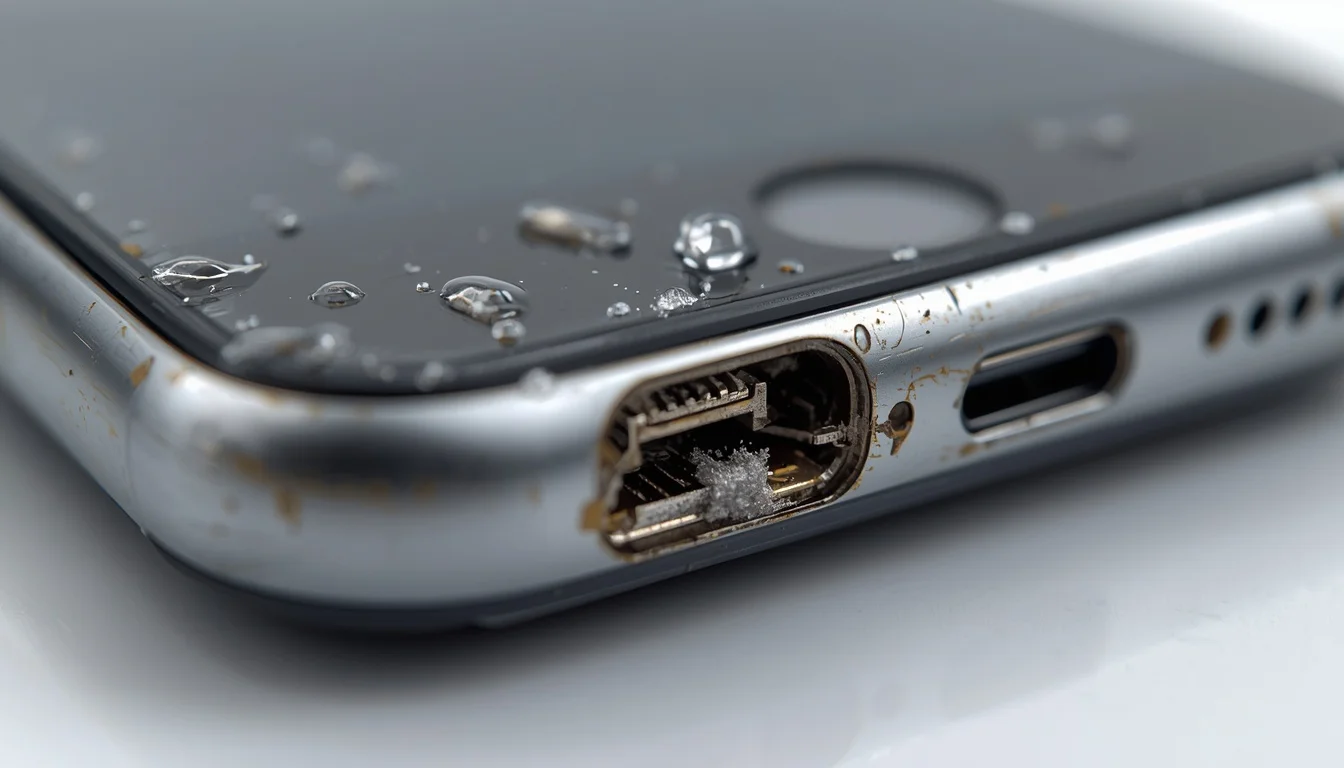
Sometimes the power bank is working correctly, but your phone cannot receive power through its charging port.
Dust, lint, moisture, or physical damage can prevent a stable connection.
This may cause symptoms such as:
- The phone does not recognise the connected cable.
- Charging starts only when the cable is moved.
- The phone displays a moisture or liquid-detection warning.
- The same phone fails to charge from several different power sources.
What to check: Disconnect the cable and carefully inspect your phone’s charging port.
If you see visible debris or moisture, follow the phone manufacturer’s cleaning and drying instructions. Never force a cable into a wet or blocked port.
For iPhone users, Apple’s official charging troubleshooting guide explains how to check the cable, accessory, and charging port.
Samsung users can refer to Samsung’s guide to phones that are not charging or are charging slowly.
If the port appears damaged or a moisture warning continues, arrange professional support rather than repeatedly reconnecting the power bank.
7. Your Power Bank Does Not Provide Enough Output Power
Not all power banks deliver the same amount of power.
Some are designed for basic charging, while others support higher-output charging for phones and other devices.
If the power bank provides less power than your phone can use or expects for fast charging, the phone may charge very slowly. In some situations, the charging rate may be too low to noticeably increase the battery percentage while you are actively using the phone.
For example, a phone running navigation, video streaming, or a demanding game may consume a significant amount of power while connected.
What to check:
- Look at the power bank’s output rating.
- Check the voltage and current specifications printed near the port.
- Compare those specifications with your phone manufacturer’s charging recommendations.
- Check whether the power bank supports the charging mode you want to use.
Do not judge compatibility by the power bank’s advertised capacity alone.
A 20,000mAh power bank is not automatically faster than a 10,000mAh model. Capacity describes how much energy the battery can store, while output specifications help determine how power is delivered.
8. Your Phone and Power Bank Do Not Support Compatible Charging Protocols
A power bank and phone may use the same USB connector but still support different charging capabilities.
USB-C is a connector type. It does not automatically guarantee support for USB Power Delivery or every other fast-charging technology.
For example, some phones support USB Power Delivery, while certain models may also require particular charging profiles or additional protocol support to reach their advertised charging speeds.
When the connected devices do not support compatible charging standards, charging may still work at a lower speed, or the combination may fail to deliver power as expected.
What to check:
- Find your phone model’s charging specifications.
- Check the power bank’s supported output standards.
- Look for USB Power Delivery (PD) or other charging technologies supported by your phone.
- Use a compatible cable.
- Test with another known-compatible charging accessory if possible.
For iPhone users, Apple’s USB-C connection guidance explains how USB-C iPhones connect to compatible charging accessories.
For Samsung users, check the specifications for your particular Galaxy model rather than assuming that every Galaxy phone supports the same fast-charging features.
9. Your Power Bank Is Charging Multiple Devices at Once
Some power banks have two or more output ports. This allows you to charge a phone, earbuds, or another device at the same time.
However, multiple output ports do not always mean that every device receives the maximum advertised power simultaneously.
Depending on the model, the total available output may be shared between connected devices. Connecting additional devices may also change the charging mode or reduce the power available to one port.
This can cause your phone to charge slowly or stop charging if the power bank cannot provide the required output.
What to check: Disconnect every other device and leave only your phone connected.
If the phone starts charging normally, check the power bank’s specifications to understand how its total output is distributed across multiple ports.
Also, make sure you are not exceeding the manufacturer’s recommended output limits.
10. The Power Bank or Phone Is Too Hot or Too Cold
Temperature can affect how lithium-ion batteries operate.
If your power bank or phone becomes too hot, its protection system may reduce charging speed or temporarily stop charging.
This can happen when:
- You leave the power bank in direct sunlight.
- You keep it inside a hot vehicle.
- You charge your phone while playing demanding games.
- The power bank is covered by clothes or other materials.
- You use the devices in extremely cold conditions.
A temporary charging interruption caused by temperature does not necessarily mean the power bank is permanently damaged.
What to check: Disconnect the phone and move both devices to a cool, dry, well-ventilated place away from direct sunlight.
Remove thick cases if they are trapping heat. Allow the devices to return to a normal operating temperature before trying again.
Never place a hot power bank in a refrigerator or freezer to cool it quickly.
Samsung also explains that high device temperature can reduce charging speed or temporarily pause charging in its official charging troubleshooting guidance.
11. Pass-Through Charging Is Not Supported or Is Limited
Pass-through charging allows a power bank to recharge itself while simultaneously supplying power to a connected phone.
It sounds convenient, but not every power bank supports this feature.
Some models do not allow simultaneous input and output at all. Others support it only through specific ports or under particular operating conditions.
As a result, connecting your phone while the power bank is plugged into a wall charger may not work as expected.
What to check:
- Confirm whether your power bank supports pass-through charging.
- Read the manufacturer’s instructions for the correct port combination.
- Disconnect the power bank from the wall charger.
- Test your phone using the power bank’s battery alone.
If the phone starts charging after you disconnect the wall charger, the issue may be related to the power bank’s pass-through limitations rather than a faulty phone.
For a practical example, Belkin’s power bank troubleshooting guide explains how pass-through support and port behaviour can vary by model.
12. Your Power Bank’s Battery or Internal Hardware Is Faulty
If you have checked the cable, ports, battery level, and compatibility but your phone still will not charge, the power bank itself may be faulty.
Power banks use rechargeable batteries that gradually wear out. Their available capacity and ability to deliver power can decrease over time.
Internal electronic components, output circuits, or connectors can also fail.
Possible warning signs include:
- The power bank cannot hold its charge.
- The battery indicator behaves unpredictably.
- No output port works with compatible devices.
- The power bank repeatedly switches off.
- Charging stops even when you use a working cable and compatible phone.
A damaged battery or internal circuit should not be treated as a simple connection problem.
If you notice swelling, leakage, cracks, smoke, unusual smells, or excessive heat, stop using the power bank immediately. Do not open it or attempt to repair its internal battery.
Contact the manufacturer or retailer about warranty support or safe replacement.
How to Fix a Power Bank That Is Not Charging Your Phone
Once you understand the possible causes, follow these troubleshooting steps in order. Start with the simple checks before assuming that the power bank or phone needs repair.
1. Check the Power Bank’s Battery Level
Begin by checking how much charge remains.
If the battery is nearly empty, connect the power bank to a suitable wall charger using its recommended input connection.
Allow it to recharge according to the manufacturer’s instructions. Then disconnect it from the wall charger and test your phone again.
If the power bank never reaches a full charge or loses its charge unusually quickly, its internal battery may be worn or faulty.
2. Press the Power Button to Activate Its Output
If your power bank has a power button, press it once and reconnect your phone.
Some models require a button press to activate their output. Others switch on automatically when they detect a compatible device.
If the power bank repeatedly turns itself off, check its manual for any special low-current or device-detection mode.
Avoid repeatedly pressing random button combinations. The activation method can differ between brands and models.
3. Make Sure You Are Using the Correct Output Port
Check the labels near the power bank’s USB connections.
Use a port marked OUTPUT or a port that the manufacturer’s manual identifies as suitable for charging other devices.
If the power bank has a USB-C connection, check whether it supports input, output, or both.
After selecting the correct port, reconnect your phone and see whether charging begins.
4. Try a Different USB Cable
A faulty cable can make a working power bank appear broken.
Disconnect your current cable and replace it with a compatible cable that you know works.
Check both connectors before using it. Do not use a cable with exposed wires, bent connectors, melted sections, or damaged insulation.
If your phone begins charging with the replacement cable, the original cable was likely the problem.
5. Test Another Output Port
If your power bank has multiple output ports, try another one.
For example, if the USB-A output does not work, test a USB-C output if your model supports it and you have the correct cable.
If one port works but another does not, the problem may be limited to a particular connection.
Do not force a connector into a port simply because it looks similar.
6. Inspect the Power Bank and Phone Charging Ports
Disconnect the cable and inspect both ends of the charging connection.
Look for dust, pocket lint, moisture, corrosion, loose connectors, or physical damage.
Keep the ports dry. Do not insert sharp or metal objects into them, and never force a cable into a damaged connector.
If you suspect internal damage or cannot safely clear visible debris, contact the manufacturer or a qualified technician.
7. Disconnect Other Devices and Test Your Phone Alone
If you are charging several devices at once, temporarily disconnect all of them except your phone.
This helps determine whether the power bank’s total output is being shared between connected devices.
If your phone starts charging normally when connected alone, check the manufacturer’s output specifications before using multiple ports again.
8. Check the Power Bank’s Wattage and Charging Compatibility
Compare the power bank’s output specifications with your phone’s charging requirements.
Check:
- The maximum output wattage.
- Supported voltage and current combinations.
- Whether USB Power Delivery is supported where required.
- Whether your phone supports the power bank’s charging protocol.
- Whether the cable supports the required power.
Remember that a higher wattage rating does not force your phone to charge at that speed. The phone, power bank, and cable must support a compatible charging mode.
9. Let Both Devices Return to a Normal Temperature
If the phone or power bank feels unusually warm, disconnect them.
Place both devices on a hard, flat surface in a cool and ventilated area. Keep them away from direct sunlight and heat sources.
Wait until they return to a normal temperature before reconnecting.
If a power bank becomes too hot to handle, develops an unusual smell, or shows signs of swelling or damage, stop using it rather than trying to cool it and continue charging.
10. Disconnect the Power Bank From the Wall Charger and Test Again
If the power bank is charging from a wall adapter while connected to your phone, disconnect it from the wall charger.
Now connect your phone to the power bank using a suitable cable.
If the phone starts charging, your power bank may not support pass-through charging or may restrict it to a particular configuration.
Check the manual before trying to charge both devices simultaneously again.
11. Restart Your Phone and Allow Time for a Deeply Drained Battery
A temporary software issue may occasionally prevent your phone from responding normally to a charging connection.
Disconnect the power bank, restart your phone, and reconnect it after the restart.
If the phone’s battery is completely drained, it may take some time before the charging indicator appears. Leave it connected to a known-working, compatible power source and allow it a little time to respond.
If the phone still shows no sign of charging, test it with another compatible charger or power bank.
12. Test the Power Bank With Another Phone
This is one of the most useful ways to identify which device is causing the problem.
Connect another compatible phone to the same power bank using a cable that you know works.
Check the result:
- The second phone charges normally: The original phone, its charging port, or its compatibility may be responsible.
- Neither phone charges: The power bank, cable, or output port may be faulty.
- Only one output port works: The other port may be damaged or may have a different function.
- Both phones charge slowly: Check the power bank’s output rating and charging standards.
This simple test helps narrow down the problem before you spend money on a replacement.
Power Bank Not Charging iPhone, Samsung, or Other Android Phones
Some charging problems are related to the particular phone model or its supported charging standards. Here are a few things to check for different types of smartphones.
Why Is My Power Bank Not Charging My iPhone?
If your power bank will not charge an iPhone, start by checking the cable and connector.
The charging connector depends on the iPhone model. Some models use Lightning, while newer models use USB-C.
Check the following:
- Use a cable with the correct connector for your iPhone.
- Check that the cable is properly connected to the power bank’s output port.
- Try another compatible cable if the charging symbol does not appear.
- Check the iPhone’s charging port for debris or moisture.
- Confirm that the power bank supports a charging mode compatible with your iPhone.
- Restart the iPhone if the connection appears normal but charging does not begin.
If your iPhone displays an alert that the accessory is not supported, the cable or accessory may be damaged, unsuitable, or unable to communicate correctly with the device.
Follow Apple’s official instructions for an iPhone that will not charge.
If the iPhone charges normally from a wall adapter but not from the power bank, test another power bank or check the original power bank’s output specifications.
Why Is My Power Bank Not Charging My Samsung Phone?
Samsung Galaxy phones can use different charging capabilities depending on the model.
A power bank that charges one Galaxy device quickly may charge another model more slowly if their supported charging standards differ.
Try these checks:
- Use a compatible USB-C cable.
- Confirm that the selected power bank port provides output.
- Check the power bank’s output wattage.
- Confirm whether the power bank supports the charging technology required by your Galaxy model.
- Test another output port.
- Check the phone’s charging port for dirt or moisture.
- Let the phone cool down if it becomes unusually hot.
Some Galaxy models support USB Power Delivery with PPS for certain fast-charging modes. However, support varies by model, so check your phone’s specifications before buying a power bank for fast charging.
For additional troubleshooting, visit Samsung’s official charging support page.
Why Is My Power Bank Not Charging Other Android Phones?
Android phones come from many manufacturers, and their charging requirements are not identical.
A power bank may work with one Android phone but fail to charge another because of differences in charging protocols, cable compatibility, or output requirements.
Try the following:
- Check whether your phone supports charging through the selected power bank port.
- Use a compatible USB cable.
- Confirm the power bank’s output specifications.
- Test another output port.
- Restart the phone.
- Try a different compatible power source.
If your phone does not charge from several known-working accessories, its charging port or internal charging hardware may need professional inspection.
Special Power Bank Charging Problems and How to Fix Them
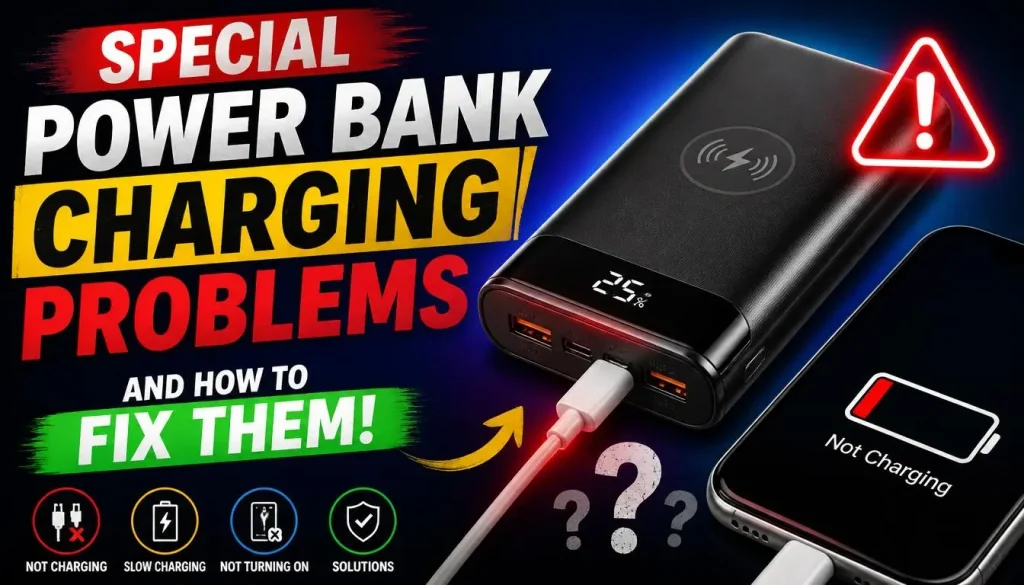
Some users experience a more specific problem than a power bank that does not charge at all. The following situations can help you narrow down the cause.
Power Bank Shows Full but Does Not Charge My Phone
A full battery indicator does not guarantee that the power bank’s output is working correctly.
The issue may involve a faulty cable, incorrect port, inactive output, or damaged internal electronics.
Try another cable and output port. Then test the power bank with a second compatible phone.
If it still cannot charge any device, the power bank may need replacement or warranty support.
Power Bank Turns Off When I Connect My Phone
Some power banks automatically shut down when they detect an output problem or do not recognise a suitable device.
Possible reasons include:
- Low remaining battery.
- A faulty cable.
- A device drawing too little power.
- An output protection feature being activated.
- Excessive heat.
- A damaged connected device or accessory.
Disconnect everything and allow the power bank to rest for a few minutes. Check its battery level, then reconnect one compatible phone using a working cable.
If the problem continues, consult the manufacturer’s instructions. Repeated unexpected shutdowns may indicate a hardware issue.
Power Bank Charges My Phone Slowly While I Use It
Your phone may consume power while you use it.
Activities such as gaming, video calls, GPS navigation, and video streaming can increase battery consumption. If the power bank supplies only a small amount of power, the battery percentage may increase very slowly or remain unchanged.
Try switching off the screen and temporarily closing demanding apps.
If the phone charges faster when you are not using it, the combination of power output and phone activity may explain the difference.
You can also check whether your power bank supports a higher compatible output.
Power Bank Charges One Phone but Not Another
This does not automatically mean that the power bank is defective.
Different phones may support different charging standards, connectors, and power requirements.
Try connecting both phones with compatible cables and checking the power bank’s specifications.
If one phone charges normally but the other consistently fails across several working power sources, the second phone may have a charging-port or hardware problem.
Power Bank Keeps Disconnecting and Reconnecting
Repeated connection and disconnection usually indicate an unstable charging connection.
Possible causes include:
- A damaged USB cable.
- A loose connector.
- Dirt inside the power bank or phone port.
- An output protection feature.
- A damaged USB port.
- Excessive temperature.
Start by replacing the cable. Then try another output port and inspect both charging connections.
If charging still interrupts with different compatible cables and devices, stop using the affected port and arrange support.
Power Bank Is Not Charging My Phone Through USB-C
A USB-C connector alone does not guarantee that a port supports every charging function.
The power bank’s USB-C connection may be input-only, output-only, or designed to support both. The cable may also lack the required charging capability.
Check the port labels and manual. Then use a compatible USB-C cable and confirm that the power bank supports output through that connection.
If the phone still does not charge, test another output port or a different cable.
Power Bank Cannot Charge My Phone While Charging Itself
This problem may occur when the power bank does not support pass-through charging.
Some models allow simultaneous charging, while others do not. Even supported models may have restrictions on which input and output ports can be used together.
Disconnect the wall charger and test the power bank normally.
If your phone charges when the power bank is running from its own battery, consult the manual to determine whether simultaneous charging is supported.
Wireless Power Bank Is Not Charging My Phone
Wireless and magnetic power banks have additional compatibility requirements.
Your phone must support the wireless charging standard used by the power bank. The devices also need to be properly aligned.
Try these steps:
- Confirm that your phone supports the power bank’s wireless charging standard.
- Remove thick or metallic phone cases.
- Centre the phone on the charging surface.
- Check whether the power bank needs to be switched on.
- Follow the manufacturer’s instructions for magnetic alignment.
- Test wired charging, if your power bank supports it.
A magnetic attachment does not automatically mean that every phone can receive wireless power from it.
If wired charging works but wireless charging does not, the issue may be related to wireless compatibility, alignment, or the wireless charging hardware.
How to Know If Your Power Bank Is Faulty
After checking the cable, ports, output specifications, and phone compatibility, you may still find that the power bank does not work.
Look for these warning signs:
- It cannot hold a charge: The battery level drops unusually quickly, even when no device is connected.
- No output port works: Multiple compatible cables and devices fail to receive power.
- The indicator behaves strangely: Battery lights or percentage readings change unpredictably.
- Charging repeatedly stops: The power bank shuts down even when the connected device and cable are working properly.
- The case is swollen or damaged: The battery or outer casing looks distorted, cracked, or deformed.
- It becomes unusually hot: The power bank feels excessively hot during normal use.
A power bank with damaged or deteriorating internal components should not be opened or repaired at home.
Stop using it immediately if you notice swelling, leakage, excessive heat, smoke, sparks, or an unusual smell.
For battery safety advice, consult the Australian Competition and Consumer Commission’s power bank safety guide, Electrical Safety First’s guidance for power banks in the UK, or Health Canada’s lithium-ion battery safety advice.
If the power bank is under warranty, contact the manufacturer or retailer before replacing it.
How to Choose a Power Bank That Works With Your Phone
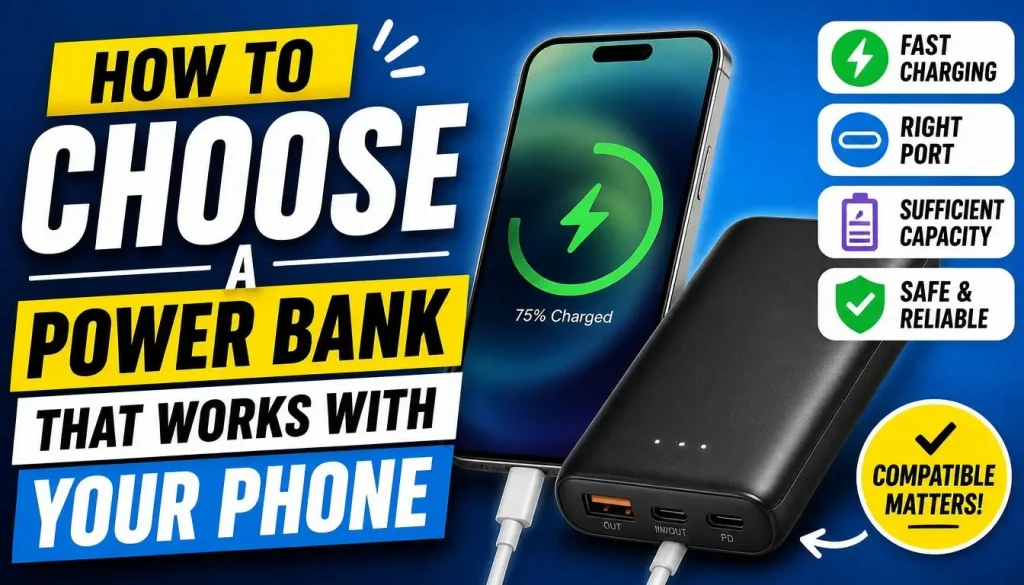
If your current power bank is damaged or unsuitable for your phone, choosing a compatible replacement can prevent similar problems.
You do not necessarily need the most expensive model. Focus on the features your phone actually supports.
Check the Power Bank’s Output Wattage
Look at the power bank’s output specifications rather than relying only on its battery capacity.
For example, a power bank may advertise a large capacity but provide relatively low output power.
Check your phone manufacturer’s recommended charging specifications and choose a power bank that offers a compatible output.
Understand USB-A and USB-C Output
USB-A and USB-C are different connector types, and power banks may support different charging capabilities through each port.
Before buying, check:
- Which connector your phone uses.
- Which output ports the power bank provides.
- Whether the port supports the required charging speed.
- Whether the correct cable is included or needs to be purchased separately.
Also, check whether a USB-C port supports input, output, or both.
Check USB Power Delivery and Other Supported Protocols
USB Power Delivery (USB PD) is a charging standard used by many modern devices.
Some phones support USB PD, while others may rely on additional or different fast-charging technologies.
Check the specifications for both your phone and the power bank. A compatible charging standard is more useful than choosing a model based on a large wattage number alone.
Choose a Compatible Charging Cable
A suitable cable is just as important as the power bank itself.
Choose a cable with the correct connectors and power capability for your device.
Avoid damaged, poorly made, or questionable accessories. A cable that works for basic charging may not support every fast-charging capability.
Check Whether the Power Bank Supports Multiple Devices
If you regularly charge a phone, smartwatch, and earbuds together, check the power bank’s total output and how power is distributed between ports.
A model with several connections may still have a shared maximum output.
Choose one that can meet your actual charging needs without exceeding its specifications.
How to Prevent Power Bank Charging Problems
A few simple habits can help keep your power bank working properly and reduce avoidable charging issues.
- Use a compatible cable: Avoid damaged or unreliable cables, even if they seem to work occasionally.
- Keep the ports clean and dry: Inspect the connectors periodically and follow the manufacturer’s cleaning instructions.
- Avoid extreme temperatures: Do not leave a power bank in direct sunlight or a hot parked car.
- Use the correct output port: Check the port labels before connecting your phone.
- Avoid unnecessary multiple-device charging: Disconnect devices you are not using when the available output is limited.
- Follow the manufacturer’s charging instructions: Use a suitable input charger and avoid unsupported charging arrangements.
- Protect it from physical damage: Do not drop, crush, puncture, or bend the power bank.
- Store it properly: Keep it in a cool, dry place and follow the manufacturer’s storage recommendations.
Never use a power bank that is swollen, leaking, cracked, or unusually hot. Damaged lithium-ion batteries can create a fire risk.
Frequently Asked Questions
Why Is My Power Bank Not Charging My Phone Even When Fully Charged?
A full battery does not guarantee that the power bank’s output is working. A damaged cable, incorrect USB port, incompatible charging protocol, or faulty output circuit may prevent charging. Try another compatible cable and output port, then test a second phone.
Why Does My Power Bank Charge Other Phones but Not Mine?
Your phone may use a different charging standard, connector, or power requirement. Its charging port may also be dirty, wet, or damaged. Test it with another compatible charger and check the power bank’s supported output specifications.
Why Does My Power Bank Turn Off When Connected to My Phone?
Some power banks switch off automatically when they do not detect a suitable power draw or when a protection feature is activated. A low battery, damaged cable, excessive heat, or output problem may also cause shutdowns. Check the user manual and test with another cable and device.
Why Is My Power Bank Not Charging My Phone Through USB-C?
The USB-C port may be intended only for recharging the power bank rather than charging external devices. It may also require a compatible cable or charging standard. Check the port labels and manufacturer’s specifications before testing another output connection.
Can I Charge My Phone While Charging My Power Bank?
Only if the power bank supports pass-through charging. Some models allow simultaneous input and output, while others do not or place restrictions on the ports that can be used. Check the manual before connecting both devices at the same time.
Why Does My Power Bank Charge My Phone So Slowly?
The power bank may have a low output rating, an incompatible charging protocol, or a cable that does not support the required power. Your phone may also consume energy while running demanding apps. Check the specifications and test charging with the screen switched off.
Does Every Power Bank Work With Every Phone?
No. Many power banks can charge a wide range of phones, but connector types, output specifications, and charging standards vary. Always check compatibility with your particular phone model.
Can a Power Bank Damage My Phone?
A reputable, properly functioning, compatible power bank should operate within the limits supported by the connected device. However, damaged, poorly made, or faulty accessories may create charging problems and potential safety risks. Use products from reputable manufacturers and stop using accessories that show signs of damage or abnormal heating.
How Do I Know When My Power Bank Needs Replacing?
Consider replacement or warranty support if the power bank cannot hold a charge, repeatedly shuts down, has non-working output ports, or fails to charge compatible devices after you have tested different cables. Stop using it immediately if the battery is swollen, leaking, cracked, or unusually hot.
Final Thoughts
When your power bank is not charging your phone, the problem is not always a damaged battery or a broken smartphone. A depleted power bank, faulty cable, incorrect output port, or incompatible charging standard can cause the same symptoms.
Start with the easiest checks: confirm the battery level, activate the output if necessary, use the correct port, and try another compatible cable. Then test another output connection and check whether the power bank can charge a different phone.
If the power bank works with another device, investigate your phone’s charging port and compatibility. If it fails with multiple compatible devices, the power bank itself may need warranty support or replacement.
Most importantly, never keep using a power bank that is swollen, leaking, unusually hot, or physically damaged. A reliable charging accessory should be convenient, but it must also be safe.

“The right smartphone can make a bigger difference than you think.”
Hi, I’m Ethan Collins, a technology writer and smartphone enthusiast at PhoneProSolve.com.
My interest in smartphones started with a simple question: How do you know which phone is actually right for your needs?
With so many brands, models, features, specifications, operating systems, accessories, and price ranges available today, choosing the right phone can quickly become confusing. And when a phone starts overheating, charging slowly, draining its battery, running slowly, or developing other problems, finding a clear solution can be just as frustrating.
I created PhoneProSolve.com to make that process easier.
Through this website, I share practical smartphone guides, product comparisons, buying advice, troubleshooting tips, how-to guides, accessory information, and solutions to common phone problems.
I focus on turning complicated technical information into clear, practical, and easy-to-understand guidance that everyday readers can actually use.
Whether you’re searching for a smartphone with better battery life, a powerful device for gaming, a reliable camera phone, useful accessories, or simply trying to figure out why your current phone isn’t working properly, my goal is to help you find the information you need before making a decision.
I believe good recommendations should be based on careful research, real-world considerations, honest pros and cons, and the specific needs of the user—not simply marketing claims.
Through PhoneProSolve.com, I’m committed to helping readers understand their smartphones, solve common phone problems, choose useful products, and make smarter purchasing decisions with confidence.
— Ethan CollinsAuthor & Technology WriterPhoneProSolve.com