Have you ever checked your phone’s specifications and noticed terms such as n28, n41, n77, or n78? These numbers might look confusing, especially when you are trying to decide whether a smartphone will work with your mobile network.
The good news is that understanding 5G bands is easier than it sounds.
5G bands are specific ranges of radio frequencies that smartphones and mobile networks use to communicate. Different bands have different characteristics, and not every 5G phone supports every band. This is one reason a phone purchased in one country might not deliver the expected 5G performance in another.
If you are buying a new phone, using an imported device, or troubleshooting a 5G connection, knowing how these bands work can help you make a better decision.
In this guide, you will learn what 5G bands mean, how they affect speed and coverage, what common band numbers represent, and how to check whether your phone supports your carrier’s network in the USA, UK, Canada, or Australia.
What Are 5G Bands on a Phone?
A 5G band is a designated range of radio frequencies used by a 5G cellular network. Your smartphone needs compatible radio hardware to communicate with a carrier using those frequencies.
Mobile networks cannot operate on just any frequency. They use designated portions of the radio spectrum, which are managed and allocated according to technical rules and national regulations.
A phone’s specifications might list supported 5G bands such as n1, n3, n28, n41, n77, and n78. Each designation refers to a particular band defined by the 5G New Radio (NR) standard.
For example, n78 operates in the 3.3–3.8 GHz frequency range. It is widely associated with mid-band 5G deployments in several markets.
However, supporting n78 does not automatically mean that a phone will connect to every 5G network. The carrier must use a compatible band in your location, and the phone must also meet the network’s other compatibility requirements.
The GSMA’s 5G Spectrum Guide explains why mobile networks need different parts of the spectrum to support coverage, capacity, and performance.
What Do 5G Band Numbers Such as n77 and n78 Mean?
The letter and number combination is an identifier for a 5G NR operating band.
The letter “n” is used in 5G NR band designations, while the number identifies a particular standardized band. For example, n28, n41, and n78 refer to different frequency ranges.
These numbers are not speed ratings.
A phone supporting n78 is not automatically faster than a phone supporting n41. Actual performance depends on factors such as available bandwidth, signal strength, network congestion, carrier configuration, and the phone’s capabilities.
The official ETSI 5G NR technical specifications provide detailed information about standardized NR operating bands.
How Do 5G Bands Work on a Phone?
Your smartphone contains a cellular modem and antennas designed to send and receive radio signals.
When you use mobile data, your phone communicates with nearby cellular network equipment using a frequency band supported by both the device and the carrier. The network then carries your data to the appropriate destination, such as a website, streaming service, or messaging platform.
Different bands are useful in different situations.
Lower-frequency signals generally travel farther and can penetrate many indoor obstacles more effectively. Higher-frequency signals can provide greater capacity and very high speeds under suitable conditions, but their coverage is generally more limited.
This is why two people using 5G phones on the same carrier might experience different speeds in the same city.
One person might be connected to a strong mid-band signal, while another is relying on a lower-band connection with less available capacity.
Your phone’s supported bands determine which frequency options it can use. The carrier’s network deployment determines which of those options are actually available in your location.
For a broader explanation of the connection process, read our guide on how 5G works on a phone.
What Are the Different Types of 5G Bands?
5G spectrum is commonly discussed in three broad categories: low-band, mid-band, and high-band or millimeter-wave (mmWave). Each category offers different trade-offs between coverage and capacity.
1. Low-Band 5G
Low-band 5G uses relatively low radio frequencies, commonly below 1 GHz.
Its main advantage is coverage. These signals generally travel farther than higher-frequency signals and can provide useful service across large geographic areas.
Low-band 5G can be particularly valuable in rural communities, on roads between towns, and in locations where building extensive cellular infrastructure is difficult.
It can also provide better indoor reach in many circumstances, although building materials and local network conditions still affect reception.
The trade-off is that low-band spectrum often provides less capacity than a well-deployed mid-band network. As a result, download speeds may be closer to those of a good 4G LTE connection.
One example of a low-band 5G designation is n71, which operates around the 600 MHz range.
2. Mid-Band 5G
Mid-band 5G operates between low-band and high-band spectrum, with many mobile deployments using frequencies around 2.5 GHz to 3.8 GHz.
It is important because it can offer a useful balance between coverage, capacity, and speed.
Bands such as n41, n77, and n78 are commonly associated with mid-band 5G.
For many smartphone users, mid-band 5G can provide a noticeable improvement over a limited-capacity connection, particularly where the carrier has enough spectrum and a well-developed network.
However, mid-band coverage is not identical everywhere. Your distance from the cell site, the availability of spectrum, physical obstacles, and network congestion all affect the performance you receive.
If you are comparing smartphones for use in the USA, UK, Canada, or Australia, mid-band compatibility deserves particular attention.
3. High-Band 5G and mmWave
Millimeter-wave, commonly called mmWave, refers to very high-frequency spectrum used for certain 5G deployments.
Depending on the band, these frequencies can provide substantial capacity and extremely high data speeds over relatively short distances.
This makes mmWave useful in selected high-traffic environments, such as stadiums, large venues, and certain busy urban locations.
However, mmWave signals generally have more difficulty travelling long distances and passing through walls and other obstacles than lower-frequency signals.
A phone might support Sub-6 GHz 5G but not mmWave. That does not automatically make the device incompatible with 5G as a whole.
For most people, the important question is whether the phone supports the 5G bands that their carrier actually uses where they need service.
Sub-6 GHz vs. mmWave: What Is the Difference?
Sub-6 GHz refers broadly to 5G frequencies below 6 GHz, while mmWave uses much higher frequencies, typically above 24 GHz in commonly discussed 5G deployments.
| Feature | Sub-6 GHz 5G | mmWave 5G |
|---|---|---|
| Coverage | Generally broader | Generally more limited |
| Indoor performance | Often more practical | More sensitive to obstacles |
| Potential speed | Can be very fast | Extremely high under suitable conditions |
| Deployment | Used across many types of areas | Often concentrated in selected locations |
| Importance for buyers | Broadly useful for compatibility | Important where the carrier offers mmWave |
Neither technology is universally better. The appropriate choice depends on where you live, which carrier you use, and what type of 5G service is available.
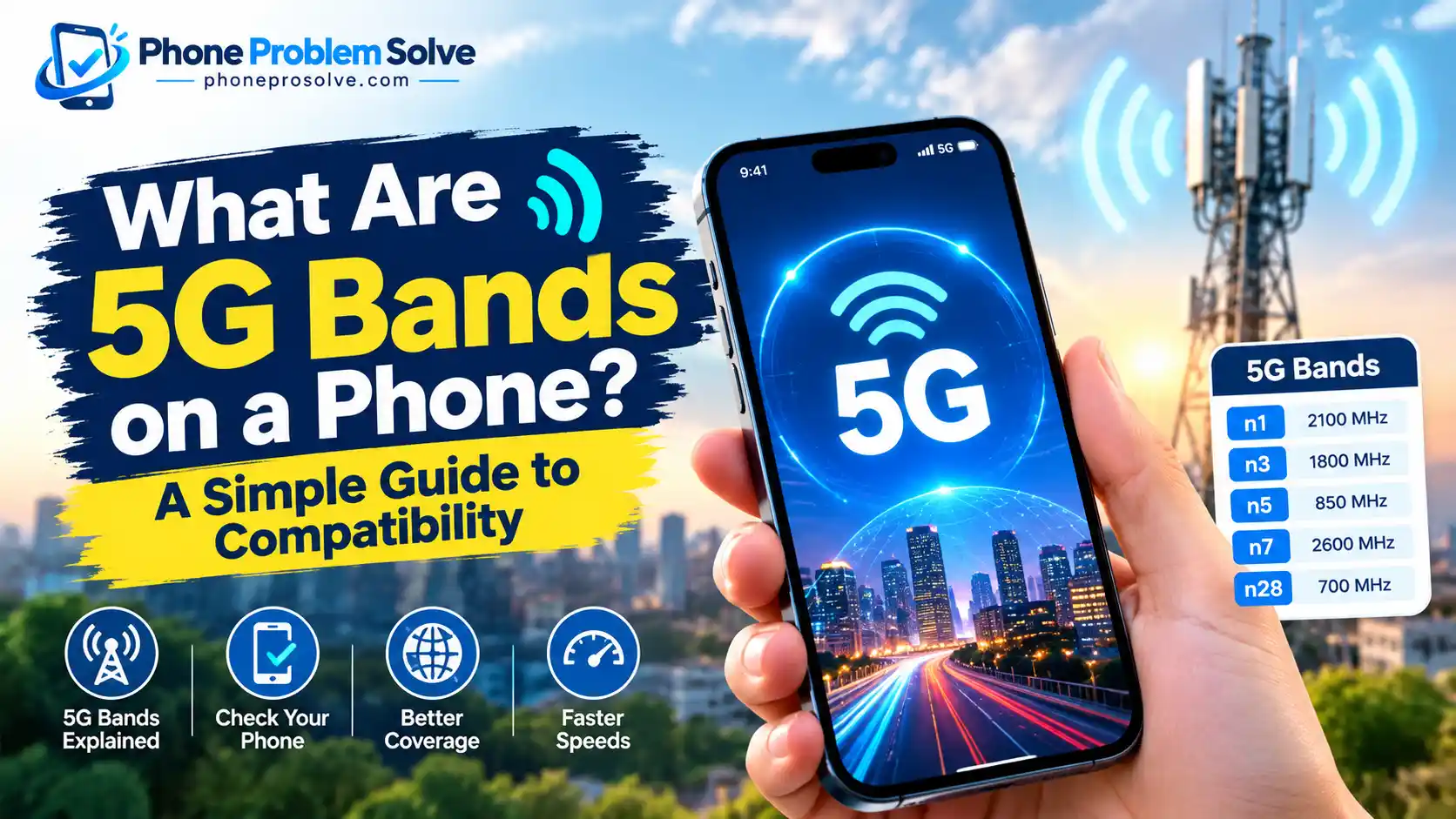
Common 5G Bands Explained: n1, n3, n28, n41, n71, n77, and n78
Looking at a phone’s technical specifications can be confusing when you do not know what the numbers represent.
The following table provides a useful starting point.
| 5G band | Approximate frequency range or reference | General category |
|---|---|---|
| n1 | 2100 MHz | Lower/mid-band spectrum |
| n3 | 1800 MHz | Lower/mid-band spectrum |
| n5 | 850 MHz | Lower-frequency spectrum |
| n7 | 2600 MHz | Mid-band spectrum |
| n20 | 800 MHz | Lower-frequency spectrum |
| n28 | 700 MHz | Low-band |
| n41 | 2496–2690 MHz | Mid-band |
| n71 | Around 600 MHz | Low-band |
| n77 | 3300–4200 MHz | Mid-band |
| n78 | 3300–3800 MHz | Mid-band |
| n79 | 4400–5000 MHz | Mid-band |
| n257 | 26.5–29.5 GHz | mmWave |
| n258 | 24.25–27.5 GHz | mmWave |
| n260 | 37–40 GHz | mmWave |
| n261 | 27.5–28.35 GHz | mmWave |
These ranges are intended as a quick reference, not a complete list of every 5G band or every country’s usable spectrum. Some bands have specific paired uplink and downlink ranges, and not every band is deployed by every carrier.
For exact supported-band information, consult the official iPhone cellular specifications from Apple or the technical specifications for your particular Android phone.
What Is the n28 5G Band?
Band n28 is a low-band 5G designation associated with the 700 MHz spectrum range.
Because lower frequencies generally travel farther than higher frequencies, n28 can be useful for providing broad coverage where a carrier has deployed compatible service.
However, having n28 support is only helpful if the carrier uses that band in your area and the phone supports the required network configuration.
What Is the n41 5G Band?
Band n41 operates from approximately 2496 MHz to 2690 MHz.
It is a mid-band frequency range that can offer a useful combination of speed and capacity. Its performance depends on how much spectrum a carrier has available and how its network is deployed.
If n41 appears in your phone’s specifications, check whether your intended carrier uses the band and supports your precise model.
What Is the n71 5G Band?
Band n71 operates in the 600 MHz spectrum range.
Its lower frequency makes it suitable for wide-area coverage compared with many higher-frequency bands. It is particularly relevant when checking support for compatible networks in the United States.
Not every 5G phone supports n71, so it is worth checking the full band list before purchasing an imported device.
What Is the Difference Between n77 and n78?
Both n77 and n78 are associated with mid-band 5G, and their frequency ranges overlap.
- n77: Covers approximately 3300–4200 MHz.
- n78: Covers approximately 3300–3800 MHz.
Because n77 has a broader standardized frequency range, a phone supporting n77 may cover frequencies within the n78 range. However, a listing for n77 alone should not be treated as proof of complete compatibility with every network using n78.
The device’s supported specifications, regional version, and carrier requirements still matter.
5G Bands vs. Frequencies vs. Bandwidth: What Is the Difference?
These terms are closely related, but they do not mean the same thing.
A frequency describes a point or value in the radio spectrum. A band is a designated range of frequencies. Bandwidth describes the width of the frequency range available for a particular transmission.
For example, n78 is a band that spans 3.3–3.8 GHz. A carrier might use only part of that range rather than the entire 500 MHz span.
More available bandwidth can allow a network to carry more data under suitable conditions. However, that does not mean a wider band automatically guarantees better service.
The phone must support the relevant frequencies and channel bandwidths, and the network must be configured to use them.
Other factors, such as signal quality, the number of active users, and the carrier’s infrastructure, can also influence performance.
This is one reason a phone with a long list of supported 5G bands is not automatically faster than another phone with fewer bands.
Does 5G Carrier Aggregation Affect Speed?
Yes, carrier aggregation can improve performance in supported network configurations.
Carrier aggregation allows compatible devices and mobile networks to combine multiple component carriers. These may involve different frequency ranges or portions of spectrum, depending on the network configuration.
Using multiple component carriers can increase the total available capacity for a connection.
However, the phone and network must support the particular combination being used. Two devices may support the same individual bands but differ in which band combinations they can use together.
Carrier aggregation is therefore another reason to check the full technical specifications instead of comparing the number of 5G bands alone.
Which 5G Bands Matter in the USA, UK, Canada, and Australia?
The most useful 5G bands depend on the mobile carrier and where you intend to use your phone. A band that is important for one network might be less relevant to another.
If you are buying a phone online or bringing one from another country, do not rely on a generic international band list.
5G Bands in the USA
In the United States, the relevant bands depend on whether you use AT&T, T-Mobile, Verizon, or another provider.
Bands such as n41, n71, and n77 are useful examples to check. Certain devices and deployments also support mmWave bands, including n260 and n261.
However, individual carriers do not use every band in every location, and device support varies by model.
Before purchasing a phone, compare the manufacturer’s official band list with the network’s compatibility requirements. You can also consult the FCC National Broadband Map for reported broadband availability, while remembering that coverage maps do not guarantee indoor reception.
5G Bands in the UK
In the United Kingdom, supported bands and network availability vary by operator and location.
Band n78 is an important mid-band designation to check, along with other bands listed in the exact phone specifications and the carrier’s network information.
Do not assume that a phone advertised as an international or European model will automatically support every UK carrier feature.
You can use the Ofcom Mobile Coverage Checker to compare reported coverage by network and location. Then check the chosen operator’s own device compatibility information.
5G Bands in Canada
In Canada, the relevant bands vary according to the carrier, its available spectrum, and where the service is deployed.
Band n78 is one example worth checking, but it should not be treated as the only band that matters. Other supported low- and mid-band frequencies may be relevant to a particular provider or location.
If you are buying an imported smartphone, verify the exact model number against your Canadian carrier’s compatibility information before ordering.
The Government of Canada’s broadband mapping resources can help you explore reported service availability. For an actual device purchase, also check your selected carrier’s official requirements.
5G Bands in Australia
In Australia, band n78 is a useful mid-band designation to check, alongside the other bands supported by your preferred operator.
Telstra, Optus, and Vodafone may differ in spectrum holdings, local deployment, and supported device configurations. A phone’s ability to connect to a network therefore depends on more than the country where the device was manufactured.
The Australian Communications and Media Authority’s spectrum auction information provides background on spectrum allocation. For a purchasing decision, compare your phone’s specifications with the carrier’s current compatibility details and coverage information.
Important: These country examples are starting points, not complete lists of the bands used by every operator. Band availability can vary by carrier, device variant, and location, so confirm the current requirements before buying a phone.
How to Check Which 5G Bands Your Phone Supports
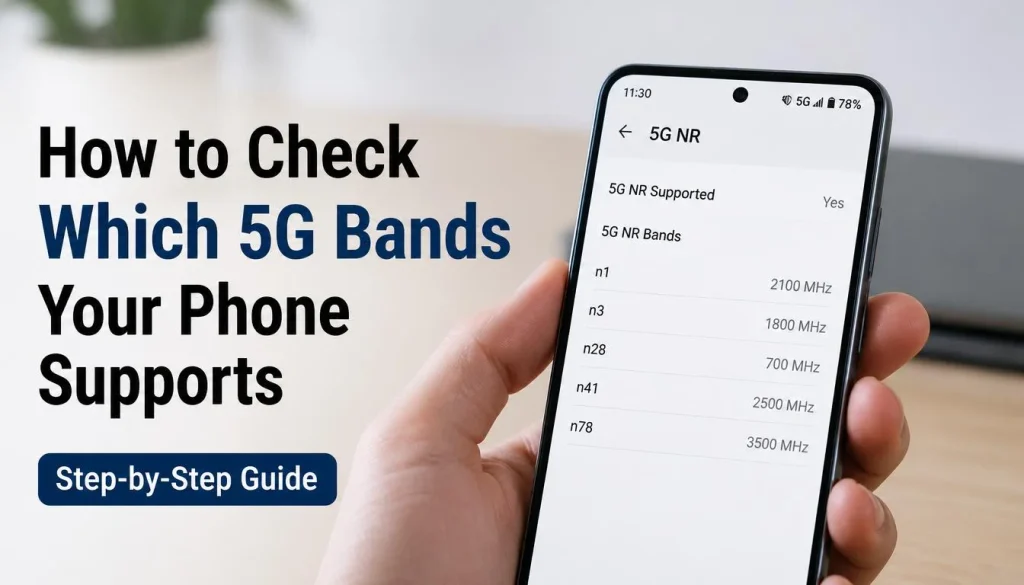
Checking band compatibility before buying a phone is much easier than discovering a problem after the device arrives.
Follow these steps to check your current phone or a model you are planning to purchase.
Step 1: Find Your Exact Phone Model Number
Start by identifying the precise model number.
On an iPhone, open Settings, select General, and then tap About.
On an Android phone, open Settings and look for About Phone or a similar device-information menu. The available labels vary by manufacturer.
Record the full model number, including any regional model identifier if one is shown.
Do not rely solely on the marketing name. Two devices sold under the same smartphone name can have different supported bands.
Step 2: Open the Manufacturer’s Official Specifications
Visit the phone manufacturer’s official website and search for your exact model.
Look for sections labelled Cellular, Network, Connectivity, 5G NR, or Supported Bands.
You may find a list containing terms such as n28, n41, n77, or n78.
Compare those entries with the bands used by the carrier you want to join.
For example, if a carrier requires a particular band for its 5G service in your area and your phone does not support it, the device may be unable to access that part of the network.
However, missing one band does not necessarily mean the phone cannot use any 5G service. It might support other bands available from the same carrier.
Step 3: Check Your Carrier’s Compatibility Requirements
Visit your carrier’s official website and look for a device compatibility checker, supported-device list, or 5G requirements page.
Some providers allow you to check a phone using its model number. Others may use an IMEI-based compatibility tool to determine whether the device can be activated.
These checks matter because cellular compatibility can depend on more than the individual frequency bands.
Carrier approval, voice service support, network technology, software configuration, and account eligibility may also affect whether a phone works correctly.
Step 4: Compare the Supported Bands
Once you have the phone’s specifications and carrier information, compare the two lists.
Here is a simple example:
| Check | Example result |
|---|---|
| Phone supports n77 | Yes |
| Carrier uses n77 in your location | Yes |
| Exact model approved or compatible | Confirmed |
| Compatible plan and coverage available | Confirmed |
| Expected outcome | 5G access is possible, subject to local network conditions |
Now imagine that the carrier uses n77, but the phone lacks that band and also does not support the carrier’s other local 5G bands. In that situation, the phone may be limited to 4G LTE or another supported network technology.
Matching the band list is an important step, but it does not guarantee a 5G connection.
For a more detailed device-checking walkthrough, see our guide on how to check if your phone supports 5G on iPhone and Android.
Why Is Your Phone Not Connecting to 5G Even Though It Supports 5G?
It can be frustrating when your phone supports 5G on paper but only shows 4G or LTE.
Fortunately, band incompatibility is not the only possible explanation.
Your Carrier Uses Different Bands
Your phone may support 5G but lack one or more bands used by your carrier in your current location.
This is particularly common when comparing regional phone models or purchasing a device from another country.
Check the exact device model and the carrier’s supported frequencies before assuming that the handset is faulty.
5G Coverage Is Weak or Unavailable
A compatible phone cannot connect to a 5G network that is unavailable at your location.
Coverage may vary between cities, suburbs, rural areas, buildings, and different parts of the same neighbourhood.
Try checking the carrier’s coverage map and testing the connection in another location.
Your Plan, SIM, or Account Needs Attention
Some carriers require an eligible plan, a compatible SIM or eSIM configuration, or activation on the account before 5G becomes available.
You may not need to replace your SIM card, but your carrier can confirm whether your existing setup supports the service.
Your Phone Uses a Different 5G Network Architecture
5G Standalone (SA) and Non-Standalone (NSA) refer to different network architectures.
NSA deployments use 5G radio technology alongside parts of the existing 4G network infrastructure. SA uses a 5G core network with 5G radio access.
The phone and carrier need to support the relevant configuration. For more details, read our guide to 5G Standalone on phones and the difference between 5G SA and NSA.
If band compatibility, coverage, and your account all appear correct, contact your carrier to check for local service issues or device restrictions.
Can a Software Update Add 5G Band Support?
Sometimes a software or carrier settings update can enable previously supported capabilities, improve network compatibility, or fix a connectivity issue.
However, a software update cannot generally add radio hardware that the phone does not have.
For example, updating a phone may help it use a supported network feature, but it will not ordinarily transform a device that lacks the necessary radio-frequency hardware into one that supports an entirely new band.
If your phone does not support a carrier’s required frequencies, check the manufacturer’s documentation before assuming that a future update will solve the problem.
Can You Use a 5G Phone From Another Country?
Yes, it is possible to use an imported 5G phone in another country, but compatibility is not guaranteed.
An unlocked phone can generally accept a compatible SIM or eSIM from another provider, subject to the carrier’s requirements. However, being unlocked does not mean the phone supports every network frequency.
Before buying a phone overseas, check the following:
- The exact regional model number.
- The supported 5G and 4G LTE bands.
- The carrier’s device compatibility requirements.
- Support for the network and voice technologies required by the provider.
- Whether your plan and SIM or eSIM can be activated on the device.
Also remember that roaming and using a local SIM are different situations. Roaming depends on the agreements between your home carrier and the visited network, as well as the device’s capabilities.
If you travel frequently between the USA, UK, Canada, and Australia, a phone with suitable international band support may offer greater flexibility. Still, always verify the particular device rather than assuming that every global model works everywhere.
Does a Phone With More 5G Bands Mean Better Connectivity?
Not necessarily.
Supporting more bands can improve compatibility with different carriers and markets. It can also give a device more opportunities to connect to the available network spectrum.
However, a higher number of bands does not guarantee faster downloads, stronger signals, or better overall performance.
Consider two phones.
The first supports many 5G bands but has weaker reception in your home and does not support the most useful band deployed by your carrier.
The second supports fewer bands but includes the relevant frequencies, has a suitable modem and antenna design, and works well with your network.
The second phone could deliver a better experience in your particular location.
When choosing a smartphone, look at band compatibility alongside reception performance, carrier support, software updates, battery life, and overall device quality.
If you are still deciding whether 5G is necessary for your next purchase, our guide on whether you need a 5G phone explains when upgrading makes sense. You can also read Is 5G Worth It on a Phone? for a closer look at the practical benefits and trade-offs.
Frequently Asked Questions About 5G Bands on Phones
What Does n78 Mean on a 5G Phone?
n78 is a standardized 5G NR band that operates in the 3.3–3.8 GHz frequency range. It is associated with mid-band 5G and can support high-capacity mobile broadband, depending on the carrier’s deployment and available spectrum.
Which 5G Band Is the Best?
There is no single best band for every situation. Lower-frequency bands generally provide broader coverage, while mid-band can balance coverage and speed. mmWave can deliver extremely high speeds in suitable locations but generally has more limited coverage.
The right band depends on your carrier and where you use your phone.
Do All 5G Phones Support the Same Bands?
No. Supported bands vary by manufacturer, model, hardware, and regional version. Always check the exact model number and its official specifications before buying a phone for use with a particular carrier.
How Can I Check the 5G Bands on My Phone?
Find your exact model number in your phone’s settings, visit the manufacturer’s official website, and look for its supported 5G NR bands. Then compare those bands with your carrier’s requirements.
Can a 5G Phone Use 4G if It Does Not Support Local 5G Bands?
Many 5G phones also support 4G LTE and can connect to a compatible LTE network when 5G is unavailable. However, the device must support the relevant LTE bands and other requirements of the local carrier.
Does Supporting a 5G Band Guarantee a 5G Connection?
No. The phone must also be within compatible coverage and meet the carrier’s device, plan, SIM, and network configuration requirements. Congestion and signal conditions can also affect the experience.
Why Is My Phone Showing 5G but the Internet Is Slow?
A 5G indicator does not guarantee high speed. Your connection may be affected by weak signal strength, limited bandwidth, congestion, or the type of 5G network available. Check coverage and compare performance in another location before concluding that your phone is faulty.
Can a Software Update Add New 5G Bands?
A software update may enable existing hardware capabilities or fix compatibility issues. It generally cannot add support for frequencies that the phone’s radio hardware does not support.
Is n77 the Same as n78?
No. They are separate standardized 5G bands, although their frequency ranges overlap. n77 covers approximately 3300–4200 MHz, while n78 covers approximately 3300–3800 MHz. Actual compatibility still depends on the exact phone and network.
Final Thoughts: Check 5G Band Compatibility Before Buying a Phone
Understanding 5G bands can save you time, money, and frustration when choosing a smartphone.
The important thing to remember is that a phone’s 5G label does not guarantee compatibility with every carrier. Supported frequencies, the exact model, regional hardware differences, network architecture, and local coverage all matter.
Before purchasing a new phone, identify its exact model number, check the manufacturer’s supported-band list, and compare it with your intended carrier’s requirements. This is particularly important if you are buying an imported device or using your phone across the USA, UK, Canada, and Australia.
You do not need to memorize every 5G band number. You simply need to know where to find the specifications and how to verify that your phone supports the network you plan to use.
A few minutes of checking before you buy can help you avoid a device that cannot deliver the connectivity you expected.

“The right smartphone can make a bigger difference than you think.”
Hi, I’m Ethan Collins, a technology writer and smartphone enthusiast at PhoneProSolve.com.
My interest in smartphones started with a simple question: How do you know which phone is actually right for your needs?
With so many brands, models, features, specifications, operating systems, accessories, and price ranges available today, choosing the right phone can quickly become confusing. And when a phone starts overheating, charging slowly, draining its battery, running slowly, or developing other problems, finding a clear solution can be just as frustrating.
I created PhoneProSolve.com to make that process easier.
Through this website, I share practical smartphone guides, product comparisons, buying advice, troubleshooting tips, how-to guides, accessory information, and solutions to common phone problems.
I focus on turning complicated technical information into clear, practical, and easy-to-understand guidance that everyday readers can actually use.
Whether you’re searching for a smartphone with better battery life, a powerful device for gaming, a reliable camera phone, useful accessories, or simply trying to figure out why your current phone isn’t working properly, my goal is to help you find the information you need before making a decision.
I believe good recommendations should be based on careful research, real-world considerations, honest pros and cons, and the specific needs of the user—not simply marketing claims.
Through PhoneProSolve.com, I’m committed to helping readers understand their smartphones, solve common phone problems, choose useful products, and make smarter purchasing decisions with confidence.
— Ethan CollinsAuthor & Technology WriterPhoneProSolve.com