If you have seen the term “5G Standalone” in your phone’s network settings or heard your mobile carrier talking about 5G SA, you might be wondering what it actually means. Is it faster than regular 5G? Does your phone support it? And do you need to change any settings to use it?
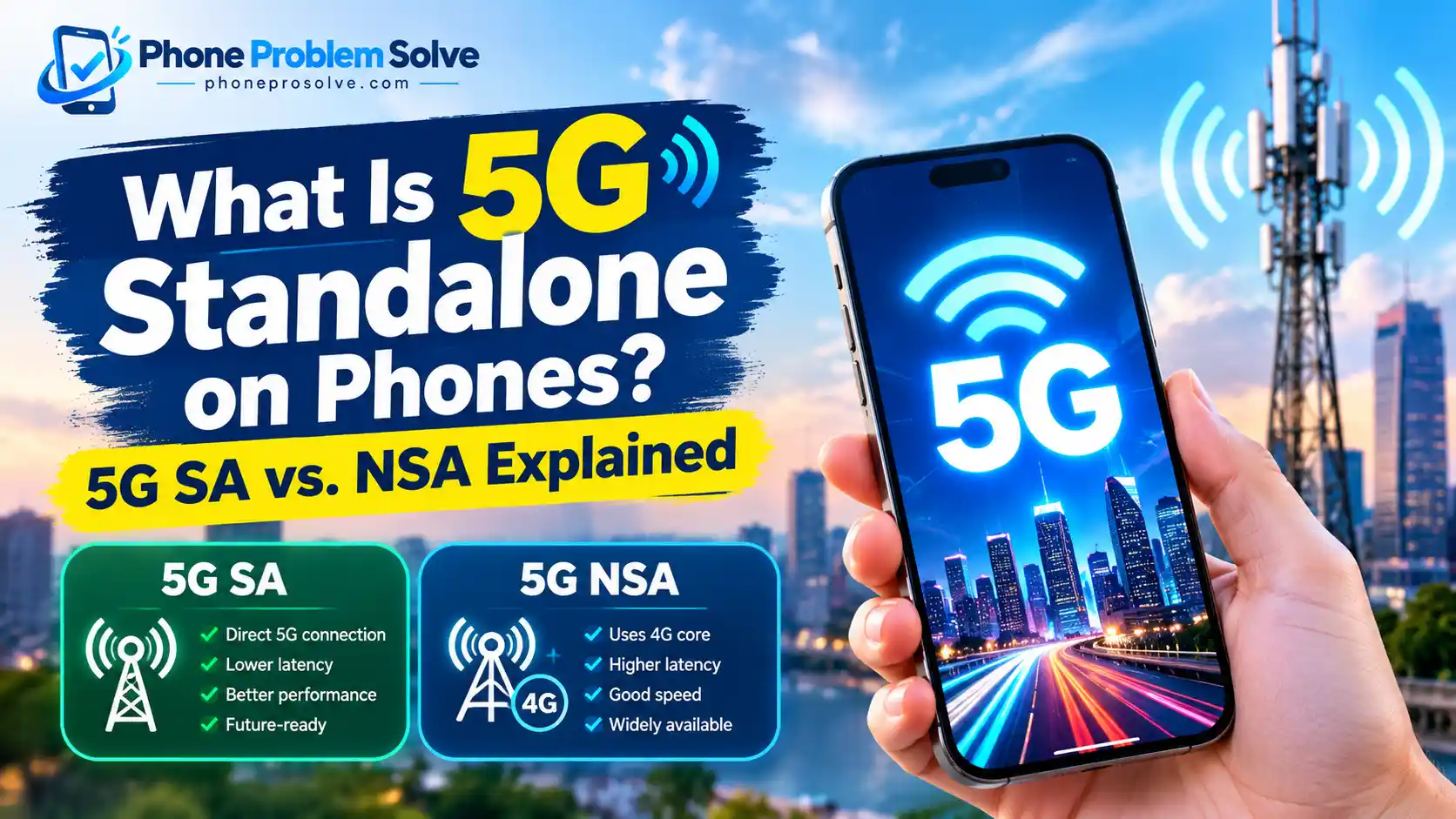
5G Standalone (5G SA) is a type of 5G network that uses both 5G radio technology and a dedicated 5G core network, rather than depending on a 4G core. This allows mobile operators to support advanced features, including lower-latency connections, network slicing, and new voice and data services. However, the benefits you experience depend on your phone, carrier, network coverage, and service plan.
In this guide, you will learn how 5G Standalone works, how it differs from regular 5G, how to check your phone’s compatibility, and what to do if your device cannot connect to a 5G SA network.
What Is 5G Standalone (5G SA)?
5G Standalone, commonly called 5G SA, is a 5G network architecture that operates using a 5G radio access network and a 5G core network.
To understand the difference, it helps to know that not every 5G connection works in the same way. When mobile carriers first introduced 5G, many used an approach called Non-Standalone (NSA). It allowed them to add 5G radio technology while continuing to rely on existing 4G LTE network infrastructure for important network functions.
5G SA removes that dependency on a 4G core. It provides a complete 5G network foundation that operators can use to introduce more advanced services.
According to Sony’s explanation of 5G SA on Xperia smartphones, the key difference is that Standalone 5G uses a 5G core rather than relying on the 4G core used by traditional NSA deployments.
For everyday phone users, this does not mean every webpage will suddenly load twice as fast. Instead, it means your carrier has access to additional capabilities that can improve responsiveness, network performance, and the services offered over 5G.
If you are new to the technology, our guide to what a 5G phone is and how it works provides a useful starting point.
How Does 5G Standalone Work on a Phone?
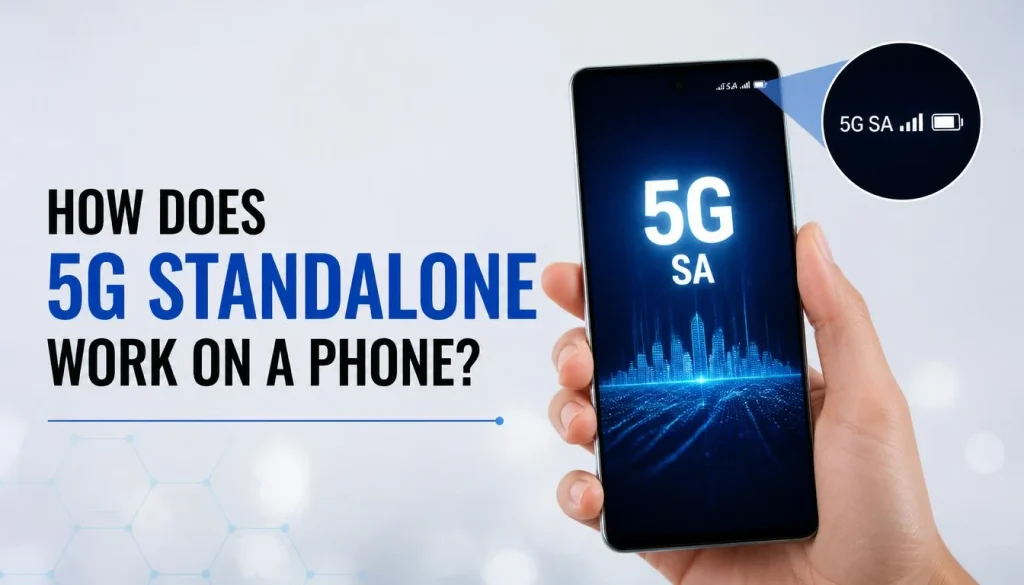
When you use mobile data, your phone communicates with nearby cellular equipment, which connects your device to the wider mobile network and the internet.
In a 5G SA network, that connection uses 5G radio technology and a 5G core. The core manages essential network functions, including device connections, mobility, authentication, and the delivery of data services.
Here is a simplified explanation of how it works:
- Your phone searches for an available network. It looks for compatible cellular service based on your carrier, device capabilities, and current location.
- The phone connects to a 5G radio network. If the required coverage and network conditions are available, it can connect using 5G New Radio (NR).
- The network establishes the connection through a 5G core. Unlike an NSA connection, 5G SA does not need a 4G core as its network foundation.
- Your phone exchanges data with online services. You can browse websites, stream videos, download files, play games, and use other supported services.
- The network manages the connection as conditions change. Signal strength, congestion, movement, and carrier configuration can all influence the experience.
The main advantage is not simply that the phone uses a newer radio signal. The complete network architecture creates opportunities for better responsiveness and more flexible services.
For a broader explanation of the connection between your phone, cellular towers, and the internet, read our guide on how 5G works on a phone.
5G Standalone vs. 5G NSA: What’s the Difference?
The most important difference between 5G SA and 5G NSA is the network core they use.
With 5G NSA, a phone uses a 5G radio connection while relying on a 4G LTE core for important network functions. With 5G SA, both the radio access and core network use 5G technology.
Here is how the two approaches compare.
| Feature | 5G Standalone (SA) | 5G Non-Standalone (NSA) |
|---|---|---|
| Radio technology | 5G NR | 5G NR, often combined with LTE |
| Core network | 5G core | Typically a 4G LTE core |
| Dependency on 4G core | No | Yes |
| Latency potential | Supports lower-latency services | Performance depends on the network configuration |
| Advanced 5G features | Provides a foundation for features such as network slicing | Availability depends on the network architecture and services |
| Availability | Depends on carrier rollout and device eligibility | Widely used in many established 5G deployments |
| Real-world speed | Depends on coverage, spectrum, congestion, and device | Depends on coverage, spectrum, congestion, and device |
Neither technology guarantees a particular download speed. A well-performing NSA network may deliver faster downloads than a congested SA network in a different location.
Similarly, switching to 5G SA does not automatically improve every aspect of your phone’s performance.
For a broader comparison of mobile network generations, see our article on 5G vs. 4G phones.
What Are the Benefits of 5G Standalone for Phone Users?
The benefits of 5G SA depend on how the mobile operator deploys the technology and which features are available to its customers. Here are the main advantages.
1. Potentially Lower Latency
Latency is the time it takes for data to travel between your device and another point in the network.
Lower latency can make online activities feel more responsive. This may help with multiplayer gaming, interactive applications, cloud-based services, and real-time communication.
For example, in a game where quick reactions matter, a responsive connection can help reduce delays between an action on your phone and the corresponding response from the server.
However, your distance from the server, Wi-Fi or cellular signal quality, congestion, and the game’s infrastructure also affect latency. 5G SA alone cannot eliminate every delay.
2. More Flexible Network Performance
5G Standalone gives operators access to advanced network-management capabilities that can help them handle different types of traffic more efficiently.
This may be particularly useful at busy events, in crowded urban areas, and in locations where many people are using mobile data simultaneously.
Actual improvements depend on how the operator configures and operates its network. SA does not guarantee that every crowded location will have a stronger signal or faster downloads.
3. Support for Network Slicing
One important capability associated with 5G SA is network slicing.
Network slicing allows an operator to create logically separated network services with different performance characteristics or requirements. For example, a network may be configured to support a service that needs more predictable performance than ordinary mobile browsing.
The GSMA’s overview of 5G Standalone opportunities explains how a dedicated 5G core can support network slicing and more specialised connectivity services.
For ordinary smartphone users, this feature may operate behind the scenes. You should not assume that every mobile plan includes a dedicated slice or that network slicing automatically makes your connection faster.
4. New Voice and Mobile Services
5G SA can also support Voice over New Radio, or VoNR, when the carrier and phone are configured for it.
VoNR allows compatible phones to make voice calls over a 5G network without relying on LTE as the voice connection. This can help operators develop more integrated 5G voice services.
However, 5G SA and VoNR are not the same thing. A phone may support 5G SA without its carrier enabling VoNR for that device or account.
What Are the Limitations of 5G Standalone?
Although 5G SA offers important technical advantages, it is not a guaranteed upgrade for every smartphone user.
There are several limitations to consider before changing your phone or mobile plan.
Limited availability: Your carrier may offer 5G SA only in certain locations or to eligible customers. A carrier’s overall 5G coverage map does not necessarily show where SA is available.
Device compatibility: A phone can support ordinary 5G without supporting the specific SA configuration used by your operator.
Carrier restrictions: Your carrier may need to enable SA for your account, plan, and device. A compatible phone alone may not be enough.
No guaranteed speed increase: SA is a different network architecture, not a promise of faster downloads in every situation.
Potential battery differences: Battery life depends on signal strength, modem behaviour, phone hardware, network conditions, and how you use your device. SA does not automatically make a phone last longer or drain its battery faster in every situation.
If you are considering a new device mainly for 5G, read our guide on whether 5G is worth it on a phone. It can help you decide whether upgrading makes sense for your needs.
What Do You Need to Use 5G Standalone on Your Phone?
To access 5G SA, several things must work together. Checking only whether your phone displays a 5G logo is not enough.
A Compatible Phone Model
Your phone needs hardware and software support for the SA network configuration used by your carrier.
Even two phones with the same marketing name may differ in their regional variants, supported bands, or carrier-specific features.
Check the exact model number, not just the general product name.
Compatible Network Bands
Your device must support the relevant 5G frequency bands used by your carrier in your location.
This is particularly important when importing a phone from another country. A device may work on some 5G networks but have limited compatibility with a different operator.
Supported Software and Firmware
A manufacturer or carrier may require a particular software version before SA becomes available.
Install supported operating-system and carrier updates, but remember that an update cannot add every missing hardware or modem capability.
An Eligible SIM, eSIM, and Mobile Plan
Some operators require a specific SIM or eSIM configuration or an eligible mobile plan.
For example, Telstra’s official 5G Standalone guide lists an eligible plan, a compatible device, a compatible SIM, and coverage as requirements for access.
Requirements vary by carrier, so do not assume that replacing your SIM is necessary. Check with your operator first.
5G SA Coverage in Your Area
Your carrier must provide an SA network where you are trying to connect.
Coverage may differ between cities, suburbs, indoor locations, and rural areas. Your phone may connect to regular 5G or 4G LTE when SA is unavailable.
How to Check If Your Phone Supports 5G Standalone
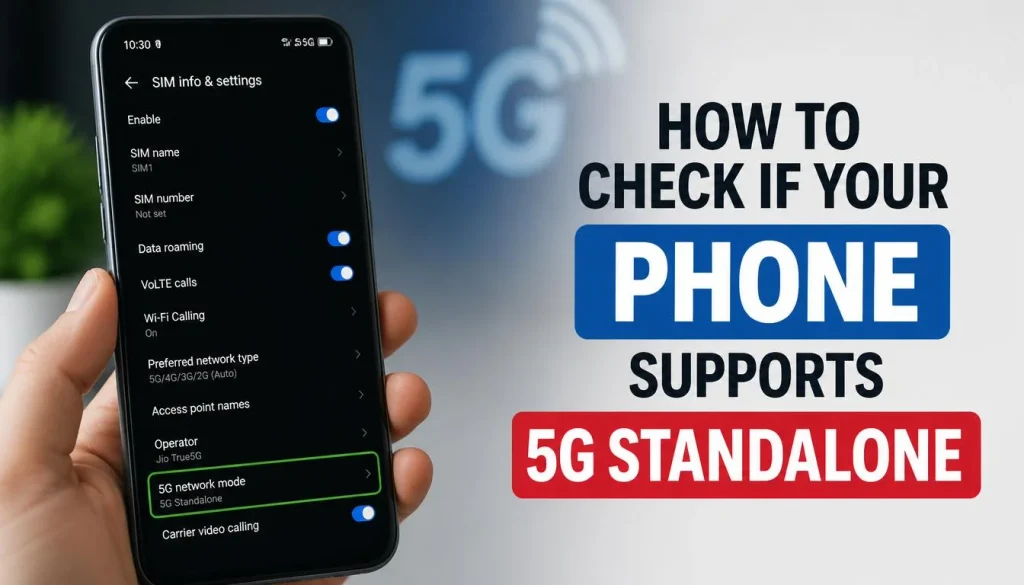
Checking for general 5G support is a useful first step, but you need to verify SA compatibility separately.
How to Check 5G SA on an iPhone
Start by identifying your iPhone model and installed software version.
- Open Settings.
- Select General.
- Tap About.
- Check the iPhone’s model information and iOS version.
- Compare the exact model with your carrier’s current list of 5G SA-compatible devices.
- Check your carrier’s instructions for any required 5G Standalone settings.
On some supported iPhones and carrier configurations, a Standalone option may appear under the cellular data or voice-and-data settings. The precise menu names and availability can differ by iOS version, region, and carrier.
If you cannot find a Standalone option, that does not necessarily mean the phone lacks SA hardware support. The carrier may not expose the option or enable the feature for your account.
How to Check 5G SA on Android
Android settings vary between Samsung, Google Pixel, Motorola, and other manufacturers.
You can begin with these steps:
- Open Settings.
- Find About phone or the equivalent device-information section.
- Identify the exact model number and software version.
- Open the mobile network settings.
- Check whether a 5G Standalone option is available on your device.
- Consult your manufacturer’s documentation and carrier compatibility list.
Some Android phones expose an SA-related setting, while others manage network selection automatically. Do not assume that every Android device uses the same menu or that a missing toggle proves incompatibility.
For more general instructions on checking your phone’s 5G capability, follow our iPhone and Android 5G compatibility guide.
How to Know If Your Phone Is Actually Connected to 5G SA
This is where many users get confused.
A phone can be 5G SA-compatible without being connected to an SA network at that moment. Compatibility means the device can support the technology under the right conditions. An active SA connection means it is actually using that network.
The 5G icon in your phone’s status bar usually does not provide enough information to distinguish SA from NSA.
To investigate your current connection:
- Check whether your carrier provides a way to verify SA connectivity.
- Review the manufacturer’s or carrier’s device-specific network diagnostics, where available.
- Confirm that your location has SA coverage and that your plan and device are eligible.
- Contact your carrier and ask whether SA is enabled for your exact phone model and account.
Speed-test results alone cannot reliably prove that your phone is connected through SA. A fast result does not confirm the network architecture, and a slower result does not necessarily mean SA is unavailable.
How to Enable 5G Standalone on Your Phone
There is no universal procedure for enabling 5G SA on every smartphone. Some devices provide a dedicated setting, while others depend on automatic carrier configuration.
If your phone and carrier support a user-controlled option, check your mobile network settings for 5G Standalone or a similarly named setting.
On an iPhone, look in the cellular settings under the voice-and-data options when your carrier exposes the feature. On Android, check the mobile network settings for your specific device.
If the option is available, follow your carrier’s instructions. You may need to enable ordinary 5G service first.
If there is no SA option, take these steps:
- Install available software and carrier updates.
- Confirm that your carrier supports SA for your exact device.
- Check your mobile plan and SIM or eSIM requirements.
- Confirm that SA coverage is available in your area.
- Contact your carrier to ask whether your device has been provisioned for SA.
Avoid changing hidden engineering settings or modifying unsupported network configurations based on instructions intended for a different phone model. Such changes may not enable SA and could interfere with normal connectivity.
Why Is 5G Standalone Not Working on Your Phone?
If your phone supports 5G but refuses to connect to 5G SA, the problem may be related to the network, account, software, or device.
Here is a practical troubleshooting checklist.
1. Check SA Coverage
The first thing to check is whether your operator provides 5G SA in your current location.
You may have excellent ordinary 5G coverage without access to SA. Check your carrier’s current coverage information or contact support to confirm availability.
2. Verify Your Exact Phone Model
Do not rely solely on the phone’s brand or product name.
Look up the complete model number and confirm that your operator supports that model for SA. Imported devices and carrier-specific variants may have different capabilities.
3. Review Your Plan and SIM
Some operators impose eligibility requirements for SA.
Check whether your plan includes the service and whether your existing SIM or eSIM is supported. If you need an upgrade or account change, follow your carrier’s instructions instead of purchasing a new SIM unnecessarily.
4. Update Your Phone
Install relevant operating-system and carrier updates.
Restart the phone afterward and check the network settings again. A software update may enable supported functionality, although it will not overcome incompatible hardware or unavailable coverage.
5. Check Your Network Settings
Confirm that mobile data is enabled and that your device is configured to use 5G where appropriate.
If you recently changed network settings, review them before making further changes. Avoid resetting everything immediately, particularly if you depend on saved network configurations.
6. Ask Your Carrier to Check Provisioning
If the usual steps do not work, contact your carrier.
Explain that your device supports 5G SA but does not appear to connect to it. Ask the support team to verify the device’s compatibility, account eligibility, network provisioning, and coverage.
For additional mobile-network troubleshooting advice, see our guide to why a phone gets hot on 5G and how to fix common 5G-related problems.
Does 5G Standalone Support Voice Calls? Understanding VoNR
Yes, 5G Standalone can support voice calls through a technology called Voice over New Radio (VoNR).
Traditional mobile networks can use different technologies for data and voice. For example, a phone using an NSA 5G connection may rely on LTE for certain network functions or voice services.
VoNR allows supported calls to run over a 5G SA network. This can help operators provide more integrated 5G services without requiring the phone to switch to LTE for every voice call.
However, VoNR requires support from the phone, software, and carrier network. It is not automatically enabled whenever 5G SA is available.
If you want to use 5G calling, check your carrier’s supported-device list and instructions. For example, EE’s official 5G+ support guide explains its eligibility requirements and provides device-specific guidance for enabling 5G Calling.
Is 5G Standalone Available in the USA, UK, Canada, and Australia?
5G SA availability depends on the mobile operator, the device, the plan, and the exact location. The availability of ordinary 5G does not guarantee access to SA.
Here is how to check the service in your country.
5G Standalone in the USA
In the United States, carrier deployment and customer eligibility can differ.
For example, AT&T announced a nationwide 5G Standalone deployment in October 2025. However, the company also explained that selected services were using the network and that customers were being moved onto it as device support and provisioning allowed.
This distinction matters: a carrier may have deployed its SA network nationally without every compatible-looking phone automatically using it.
Check your carrier’s current information for device eligibility, account requirements, and availability.
5G Standalone in the UK
In the UK, availability and eligibility depend on the operator and its current rollout.
EE, for example, provides 5G+ service with specific plan, SIM, device, and coverage requirements. Its official 5G+ guide also provides a coverage checker and a list of compatible devices.
If you are with another operator, consult that provider’s own documentation. Do not assume that support for a UK 5G network automatically confirms SA support.
5G Standalone in Canada
In Canada, Rogers has documented its standalone network and related device certification.
Its 5G network FAQs explain the distinction between ordinary 5G, 5G+, and the standalone network, along with device and coverage information.
If you use Rogers or another Canadian provider, confirm whether your exact handset is eligible for SA. A carrier’s advertised 5G or 5G+ service should not automatically be taken as proof that your phone is connected to SA.
5G Standalone in Australia
In Australia, Telstra provides information about its 5G Standalone service and supported devices.
According to Telstra’s official 5G SA guide, access depends on an eligible plan, a compatible phone, a compatible SIM, and SA coverage. The guide also identifies restrictions for certain prepaid services.
Before changing your plan or buying another phone, check Telstra’s latest eligibility information or the equivalent documentation from your own provider.
Important: Carrier requirements and compatible-device lists can change. Always check the latest official information before making a purchase or changing your mobile plan.
Should You Upgrade to a Phone That Supports 5G Standalone?
Whether you should upgrade depends on the phone you currently own and what you expect from your mobile connection.
A phone with SA support may be a sensible long-term choice if you are buying a new device and your operator offers useful SA services in your area.
However, buying a new phone solely because it supports 5G SA is not necessary for everyone.
You may be better off keeping your current phone if:
- It already delivers reliable mobile data speeds for your daily activities.
- Your carrier does not yet offer SA to your device or plan.
- You mainly browse websites, stream videos, use social media, and make ordinary calls.
- Replacing the phone would cost more than the practical benefits justify.
Before upgrading, compare the phone’s supported network bands, carrier compatibility, battery life, software support, and overall cost.
Our article on whether you need a 5G phone can help you decide whether a new device is worthwhile.
The best choice is a phone that works well with the carrier you use today and meets your needs over the next few years, rather than one chosen for a single network feature.
Frequently Asked Questions About What Is 5G Standalone on Phones
Is 5G Standalone better than regular 5G?
5G SA offers a more complete 5G network architecture and supports advanced capabilities that NSA networks may not offer in the same way. However, whether it feels better depends on coverage, network conditions, device support, and the services your carrier provides.
Does every 5G phone support 5G SA?
No. Support for ordinary 5G does not guarantee support for every 5G SA configuration. The exact phone model, software, carrier, and network requirements all matter.
Is 5G SA faster than 5G NSA?
Not always. 5G SA can support lower latency and advanced network features, but download speed depends on many factors, including spectrum, signal quality, congestion, and the phone’s modem. An NSA connection may be faster in some situations.
Does 5G Standalone improve battery life?
It can depend on the device, signal strength, modem, and network configuration. Some networks and devices may use power more efficiently in particular conditions, but SA does not guarantee longer battery life.
Do I need a new SIM card for 5G Standalone?
Not necessarily. Some carriers support SA using existing SIM cards, while others have specific SIM or eSIM requirements. Check your operator’s guidance before replacing your SIM.
Can I use 5G SA without 5G SA coverage?
No. Your phone needs access to an operator’s compatible SA network to establish an SA connection. Where SA is unavailable, your device may connect to ordinary 5G NSA, 4G LTE, or another supported network.
Does seeing 5G on my phone mean I am connected to 5G SA?
No. The 5G icon generally does not distinguish SA from NSA. Check your device’s supported diagnostics or ask your carrier to verify whether your current connection uses SA.
Is 5G Standalone the same as 5G-Advanced?
No. 5G SA describes a network architecture that uses a 5G core. 5G-Advanced describes a set of further enhancements to 5G technology. The terms are related but do not mean the same thing.
Can 5G Standalone work when I travel abroad?
It depends on your phone’s compatibility, your home carrier’s roaming agreements, and the roaming network’s support for SA. A phone that supports SA at home may not be able to use it while roaming. Check your carrier’s current international roaming information before travelling.
Final Thoughts
5G Standalone is an important step in the development of mobile networks. By using a 5G core rather than relying on a 4G core, it creates opportunities for lower latency, more flexible network services, and advanced capabilities such as network slicing and VoNR.
But having a 5G phone does not automatically mean you can use 5G SA. Your device, software, SIM or eSIM, mobile plan, carrier configuration, and local coverage all play a role.
Before upgrading your phone or changing your plan, check two things: whether your exact device supports your carrier’s 5G SA service and whether that service is available to you. That will help you avoid unnecessary purchases and make a more informed decision about your mobile connection.

“The right smartphone can make a bigger difference than you think.”
Hi, I’m Ethan Collins, a technology writer and smartphone enthusiast at PhoneProSolve.com.
My interest in smartphones started with a simple question: How do you know which phone is actually right for your needs?
With so many brands, models, features, specifications, operating systems, accessories, and price ranges available today, choosing the right phone can quickly become confusing. And when a phone starts overheating, charging slowly, draining its battery, running slowly, or developing other problems, finding a clear solution can be just as frustrating.
I created PhoneProSolve.com to make that process easier.
Through this website, I share practical smartphone guides, product comparisons, buying advice, troubleshooting tips, how-to guides, accessory information, and solutions to common phone problems.
I focus on turning complicated technical information into clear, practical, and easy-to-understand guidance that everyday readers can actually use.
Whether you’re searching for a smartphone with better battery life, a powerful device for gaming, a reliable camera phone, useful accessories, or simply trying to figure out why your current phone isn’t working properly, my goal is to help you find the information you need before making a decision.
I believe good recommendations should be based on careful research, real-world considerations, honest pros and cons, and the specific needs of the user—not simply marketing claims.
Through PhoneProSolve.com, I’m committed to helping readers understand their smartphones, solve common phone problems, choose useful products, and make smarter purchasing decisions with confidence.
— Ethan CollinsAuthor & Technology WriterPhoneProSolve.com